Forum Upgrade - Any Issues?

/ Forum Upgrade - Any Issues? #521  
OK, I switched to a different email server to see what happens. Yahoo email does seem to have issues at times.

EDIT---Bingo--that was the problem. Now getting instant updates on a different email server. It was a Yahoo problem and now seems fixed. Thank you.

yup.. anyone using a yahoo server seems to at times, get issues with tbn emails. yahoo sometimes black lists tbn.

I'm lucky right now (knock on wood ) and so far mine are coming in fine..
 
/ Forum Upgrade - Any Issues? #522  
OK, I switched to a different email server to see what happens. Yahoo email does seem to have issues at times.

EDIT---Bingo--that was the problem. Now getting instant updates on a different email server. It was a Yahoo problem and now seems fixed. Thank you.

yup.. anyone using a yahoo server seems to at times, get issues with tbn emails. yahoo sometimes black lists tbn.

I'm lucky right now (knock on wood ) and so far mine are coming in fine..
 
/ Forum Upgrade - Any Issues? #523  
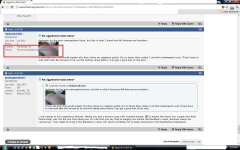
wrap around txt issue.jpg

For some reason I am seeing a few sigs not having the wrap around on text of some members like this one.
 
/ Forum Upgrade - Any Issues? #524  
View attachment 270987
For some reason I am seeing a few sigs not having the wrap around on text of some members like this one.
The list of tractors and the location box ONLY wrap if there are spaces between the words which that user does not have in their list.

Aaron Z
 
/ Forum Upgrade - Any Issues? #526  
It has been brought to my attention that the exorbitant use of smileys on a post I made on the front porch in the Chronicles is a possible cause of this slowdown....

I highly doubt it but Polo1665 has stated such......

Naughty! Naughty! Naughty!
 
/ Forum Upgrade - Any Issues? #527  
CompactTractorFan said:
Naughty! Naughty! Naughty!

Just be glad I'm in the land of Canadian beer..... Or I'd nuke you with smileys..... I did a post that was so big the forum told me it was toooooooooooooooo big!!
 
/ Forum Upgrade - Any Issues? #528  
3 pages back is my limit, I'm not going to check further for this one:

I don't use Remember Me on logging in, and am finding that the default timeout is very short now. I can understand if this is temporary (security or debug activity), just wanted to make sure it is flagged.

One of my other favourite forums allows you to choose your login timeout period, in this case on the login line. At this time, I can't find any TBN timeout options, at login, or in my profile.

Then again, maybe I didn't have enough coffee today..... ?

Rgds, D.
 
/ Forum Upgrade - Any Issues? #529  
John Deere Owning and Operating Forum home page still has overwriting in the header.
Reply to Thread button partly covered. Gray bar covers text.
 
/ Forum Upgrade - Any Issues? #531  
John Deere Owning and Operating Forum home page still has overwriting in the header.
Reply to Thread button partly covered. Gray bar covers text.
The yanmar page, has what ever add pops up on the right side still partially comvering the first 3-4 threads, or the part on the far right whwere says who recently posted. If they were moved to the left in the GIANT white space there would be no issue.
 
/ Forum Upgrade - Any Issues? #532  
I don't like the nag screen for log-in...sometimes when I don't intend to post, I didn't log-in. Now you must, even though if you don't, it eventually times-out...but it is a PITA.

Also, when logged-in, you now have to go to your home to see if you have mails. It used to show prominently...now you gotta click around to go find it.
Another PITA.

I can live with it, but I see zero benefit to the new version...am I missing something?
 
/ Forum Upgrade - Any Issues? #533  
i get a pop up or a notification on the top bar if i have any messages? Are you not getting that ?
 
/ Forum Upgrade - Any Issues? #534  
I am about to get tired of this. This is a screen shot of my page.

To make the top part look right, the middle and bottom is not correct.

I have selected small text

I am using Chrome.

I have tried every text setting, and it will fix part of the page.

Should my avatar show in the Forums area. Words are jumbled together and lines are mixed.

I can not find a default setting anywhere.
 

Attachments

  • TBN J3.jpg
    TBN J3.jpg
    213.5 KB · Views: 152
/ Forum Upgrade - Any Issues? #535  
I am about to get tired of this. This is a screen shot of my page.

To make the top part look right, the middle and bottom is not correct.

I have selected small text

I am using Chrome.

I have tried every text setting, and it will fix part of the page.

Should my avatar show in the Forums area. Words are jumbled together and lines are mixed.

I can not find a default setting anywhere.


Two questions, JJ...
Have you tried viewing with Internet Explorer? If so, any better?

Are you using a laptop? To me, that looks more like a monitor resolution problem.
 
/ Forum Upgrade - Any Issues? #536  
I am about to get tired of this. This is a screen shot of my page.
To make the top part look right, the middle and bottom is not correct.
I have selected small text
I am using Chrome.
I have tried every text setting, and it will fix part of the page.
Should my avatar show in the Forums area. Words are jumbled together and lines are mixed.
I can not find a default setting anywhere.
Can you hit Control+Shift+N to open a "Private browsing window" and open TBN in that window to see if you have the same issue in there? That should re-load Chrome without any addons and will let you see if your addons are causing this?

Thanks

Aaron Z
 
/ Forum Upgrade - Any Issues? #537  
I am about to get tired of this. This is a screen shot of my page.
To make the top part look right, the middle and bottom is not correct.
I have selected small text
I am using Chrome.
I have tried every text setting, and it will fix part of the page.
Should my avatar show in the Forums area. Words are jumbled together and lines are mixed.
I can not find a default setting anywhere.
Can you hit Control+Shift+N to open a "Private browsing window" and open TBN in that window to see if you have the same issue in there? That should re-load Chrome without any addons and will let you see if your addons are causing this?

Thanks

Aaron Z
 
/ Forum Upgrade - Any Issues? #538  
I have looked at TBN using Firefox and IE7, and they look alright, but the print is to small for me to view comfortably.

I had the same thing using Control+Shift+N

Before the upgrade, everything was good. Now, if I squeeze everything real small on the page, it will look correct, but text is still not as I want.

The top part of the page does not change at the same rate.

If I make the top part of the page to show everything correctly, the post area is to small.

No laptop.
 
/ Forum Upgrade - Any Issues? #539  
i get a pop up or a notification on the top bar if i have any messages? Are you not getting that ?


I didn't know that, but got a few emails after I posted yesterday, and yes....the Alert tab tells me I have mail....so I retract that complaint.
 
/ Forum Upgrade - Any Issues? #540  
As for JJ's pic in the forum areas, yes its suppose to appear but it suppose to appear in that top bar with the choices of Homepage..... seacrch, Logout, then your profile pic. Its not suppose to hover below it on the left side. Does appear to be a monitor resolution issue or something?
 

Marketplace Items

2018 FORD F-350 FLATBED (A60736)
2018 FORD F-350...
International 9200 (A61307)
International 9200...
yellow ball Trailer (A56859)
yellow ball...
2022 Horizon (A55973)
1974 Ford F600 Grain Truck (A61307)
1974 Ford F600...
2014 18ft. Parker Performance T/A Trash Trailer (A60352)
2014 18ft. Parker...
 
Top