You are using an out of date browser. It may not display this or other websites correctly.
You should upgrade or use an alternative browser.
You should upgrade or use an alternative browser.
anyone know how to print from google maps
- Thread starter kossetx
- Start date
- Views: 3448
More options
Who Replied?
/ anyone know how to print from google maps
#1

wedge40
Veteran Member
- Joined
- Oct 8, 2007
- Messages
- 2,197
Ya above the buttons "Street View, More, Map, Satellite, Terrain) are three links. "Print" "Send" and "Link"..
Click the print button.
Wedge
Click the print button.
Wedge
My bad, I should have said print in the satelite view. I can only get it to print map view, A satelite view gives more defining landmarks. You can even see the cows in my pasture.
I would think the u.s. gov would have a site you could do this from but I've yet to find it. Any ideas?
I would think the u.s. gov would have a site you could do this from but I've yet to find it. Any ideas?

mentat30
Bronze Member
That is weird, I just tried it and I can print when viewing Satellite on Google. Another option if you are looking for Satellite maps, try TerraServer-USA. 
Might try google earth as well. Free download and you can zoom in/out, pan, rotate, etc. Also has tools to add street names overlaid over the satelite image and a distance tool for measuring in feet/miles/yards etc that comes in handy.

Heywood Jannockitov
Platinum Member
- Joined
- Jan 9, 2008
- Messages
- 842
- Tractor
- Deere 27d, JD 5425 cab, JD F620, JD XUV 850D, Case 580 SE, IH 484
Microsoft Virtual Earth is pretty good. Has a neat "Bird's Eye" viewer too that works in the more urban areas.
Web browser and Live Maps are incompatible
I've found the resolution to be higher in some areas than it is with Google maps or satellite sightseer.
I spend too much time looking at dams, power stations and canals.
If you can't print you can hit print screen (or Alt-print screen) and paste image in Paint or Word
Web browser and Live Maps are incompatible
I've found the resolution to be higher in some areas than it is with Google maps or satellite sightseer.
I spend too much time looking at dams, power stations and canals.
If you can't print you can hit print screen (or Alt-print screen) and paste image in Paint or Word
You may want to check your county web site. Allot of the times they have satellite image programs and sometime with more features. Mine shows contours with sea level elevations and property dimensions. I've done exactly what you are trying to do for my master planning. I致e imbedded my map into a drawing program where I show my entire property that I've begun mapping and label tree species and I can also zoom into view details of my house plans. It works great.
wedge40
Veteran Member
- Joined
- Oct 8, 2007
- Messages
- 2,197
See if your county has a GIS, geographic information system.
My county does.. And I'm pretty sure I can print the maps if I wanted to.
Wedge
My county does.. And I'm pretty sure I can print the maps if I wanted to.
Wedge
My bad, I should have said print in the satelite view. I can only get it to print map view, A satelite view gives more defining landmarks. You can even see the cows in my pasture.
I would think the u.s. gov would have a site you could do this from but I've yet to find it. Any ideas?
When you have the satellite view you want, hit your print-screen button at the upper right corner of your key board.
Then open MS paint, click the edit tab, then paste from the drop down menu. From there you can crop what you want and print.
Attachments

GinNB
Gold Member
- Joined
- Dec 8, 2007
- Messages
- 341
- Location
- NB, Canada, eh?
- Tractor
- 2x Kubota M108S, M105S, 2x M9000, IH885, IH584, IH484, IH454, F3000, F3610, C50, JX70, Landini 5830, JD4630 sprayer
If you've ever got a problem printing ANYTHING on your computer, install MWSnap. It'll print anything that you can display to your screen. Print the whole screen, a whole window, or any custom chunk of the screen.

F.L. Jennings
Bronze Member
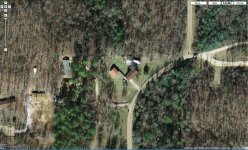
Sometimes I just take a screen shot so that I can edit it and add remarks, etc. and reduce size/file size. This one is of palnting beds in our back yard. It cover a much greater area before reduction in another program.
eg.

eg.

George2615
Super Member
For me I get the best pics using my county tax map site. They have Google maps, Yahoo maps, GIS maps, and Windows live search. By far, Windows live search gives me the best pic with highest zoom level with the best resolution and allows me to rotate the view a full 360 degrees (90 deg. at a time).
The only problem I found with all of the free map programs is the pics of my area are all over 1 1/2 to 2 years old since they all show a pickup in my driveway that I haven't owned in 1 1/2 years. Some are older since they don't show a new house that went up 2 years ago.
I haven't tried printing them but there is a print button on each one I went to.
The only problem I found with all of the free map programs is the pics of my area are all over 1 1/2 to 2 years old since they all show a pickup in my driveway that I haven't owned in 1 1/2 years. Some are older since they don't show a new house that went up 2 years ago.
I haven't tried printing them but there is a print button on each one I went to.
Heywood Jannockitov
Platinum Member
- Joined
- Jan 9, 2008
- Messages
- 842
- Tractor
- Deere 27d, JD 5425 cab, JD F620, JD XUV 850D, Case 580 SE, IH 484
I've made the same observations. One would think that all of these map programs access the same satellite imagery, but apparently not. Part of the fun is trying to estimate when some of these photos were taken. Because they are all "snapshots in time", another interesting thing that I have noticed, but of course, I'm likely stating the obvious, is that as you zoom in, you zoom so far, then the photo switches to a new shot, sometimes taken at a different time. Occasionally, things disappear because the next photo accessed is all of a sudden, older than the last one.
Heywood Jannockitov
Platinum Member
- Joined
- Jan 9, 2008
- Messages
- 842
- Tractor
- Deere 27d, JD 5425 cab, JD F620, JD XUV 850D, Case 580 SE, IH 484
If you are a google earth use, try out street view. If that doesn't give you the big brother willies nothing will.
Yeah, no kidding!! Imagine if it is a real-time image


