Security Camera pays off

   / Security Camera pays off #41  
Carl,

I also use a Mac (Macbook Pro), and I have a question re. Security Spy.

Does SS essentially allow you to use a portion of your hard drive as a "virtual" DVR?

I am thinking about installing 3 or 4 Panasonic BB-HCM371A wifi IP cameras.
(We live very rural with zero proximity to "war drivers".)
I have power to the camera locations but retro-ing cable runs would be impractical (2 outbuildings, etc)

Will SS and a Mac do this?
 
   / Security Camera pays off
  • Thread Starter
#42  
absolutely. You tell it how much of your hard drive you want it to use and it dumps the old files. Choose a flolder and it is all good.

Please keep me posted on how the IP cameras go, and the quality you get from them (a picture would be great).

Also, take a look at evocam.com. I have both softwares and liked SS a bit more, but evo was pretty good...
 
   / Security Camera pays off #43  
Carl,

Thanks for the quick reply.

I just migrated(last year) to Mac after 25 PC years. Real soon I am going to get rid of my last PC (my wife's) amd move her into an iMac.

That is the time when I will integrate SS and the camera system. I will post when I do this, but it will take a few months due to other in-progress projects.

On the outbuildings I am thinking of using an ELK-P412 power supply so as not to utilize wall warts for power.

Thanks again,

RFB
 
   / Security Camera pays off #44  
Woodlandfarms, Thanks for the info, yes it helps, it gives me a great starting point. ( I was on vacation sorry for the delay )
 
   / Security Camera pays off #45  
You might want to get some large heat-shrink tubing and use it over the connections after you are satisfied with everything. It doesn't hurt to use the silicone one the connections before shrinking the tubing either. The phone companies use a splice cover that works the same way.
 
   / Security Camera pays off
  • Thread Starter
#46  
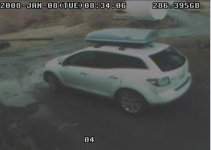
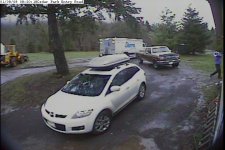
Here are some results... These are screen grabs so the resolution is a bit low.

Pix 3 and 4 are with the $40 camera. This has a 57 degree angle of view

Pix 5 is my original camera. This has a 75 degree angle of view

Pix 6 is the "expensive" camera - It has a 85 degree angle of view

The cedar park picture is a direct email from the machine


I will do some night stuff tonight but I can say already the cheap camera works really, really well....
 

Attachments

  • Picture 3.jpg
    Picture 3.jpg
    93.2 KB · Views: 270
  • Picture 4,jpg.jpg
    Picture 4,jpg.jpg
    94.6 KB · Views: 235
  • Picture 5.jpg
    Picture 5.jpg
    57.7 KB · Views: 255
  • Picture 6.jpg
    Picture 6.jpg
    89 KB · Views: 283
  • Cedar Park  01-08 0820-18.jpg
    Cedar Park 01-08 0820-18.jpg
    88.4 KB · Views: 262
   / Security Camera pays off
  • Thread Starter
#47  
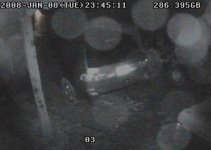
Here are some nighttime raining pix. These cameras (the new ones) are really sensitive to light. I had to kill all the lights in the house to get an near honest opinion of the LED quality.

The 54 LED camera has a larger chip, which requires more light. So, I am hard pressed to find much of a difference between this bigger camera and the smaller...
 

Attachments

  • 080108T234400.jpg
    080108T234400.jpg
    21.6 KB · Views: 242
  • 080108T234416.jpg
    080108T234416.jpg
    27.3 KB · Views: 219
  • 080108T234431.jpg
    080108T234431.jpg
    26.8 KB · Views: 201
  • 080108T234439.jpg
    080108T234439.jpg
    22.2 KB · Views: 213
   / Security Camera pays off #48  
RFB said:
I am thinking about installing 3 or 4 Panasonic BB-HCM371A wifi IP cameras.
(We live very rural with zero proximity to "war drivers".)

One thing I found- I bought several wifi band (2.4GHz) wireless cameras. When they are in use you can forget using wifi on your computer, it interferes:mad: Note these are simple RF transmission devices that transmit to an analog receiver with video and sound output jacks. The true wifi cameras as opposed to wifi band cameras shouldn't have this problem. Caveat Emptor

I also just picked up this neat device sold by First Alert that motion detects and records to SD cards. They can be viewed locally on a monitor from the device or played back in a computer. I find no info on it on First Alerts website so I don't know if it has been discontinued or is new and not yet on the site.

I actually bought it at WalMart, stumbled across it by accident-

First Alert SD Recorder with Color Camera w/ Cable, 575 - Wal-Mart

The description on WalMart.com is also in error, there is no audio and the aluminum housed camera is plastic housed with an aluminum finish....I just got it yesterday and haven't played with it enough yet, it may be ok or it may be poor, I've only run it in the kitchen overnight as a test...caught me raiding the refrigerator and the wife thought it funny to flash it:eek:


I have a dilemna on my remote property as I have no AC power or internet access except through a cellular device when I'm there. This First Alert thing will allow me to leave it there and retrieve video when I return. It all runs off wall-warts with DC output so it will be relatively simple to power it off my 12V battery system and solar charger on site.
 
Last edited:
   / Security Camera pays off #49  
Skyco,

Another camera that I am looking at is the Linksys WVC200
Linksys.com - Products/Wireless/Home Control/Cameras/WVC200

both it and the D-Link DCS-6620G use MPEG-4 video compression cutting down bandwidth use a lot.

Also, a second Wifi router that is ethernet wired into the existing wifi router keeps all of the video traffic on a separate lan apart from the internet wifi.

Here's a link for one setup:

Connecting two routers wired - the definitive answer - Wireless Routers - Linksys Community Forums
 
   / Security Camera pays off #50  
Yeah I want to dig into the wifi cameras...the analog 2.4Ghz cameras take up something like 6 MHz of bandwidth and will decimate wifi...
 
   / Security Camera pays off #51  
A small update on my purchase. I received the camera/dvr kit on last Monday. Since then, it has snowed 3 days and the temperature hasn't really climbed above freezing the whole time. Now on my day off today it's 8 degrees this morning, not ideal weather to be installing cameras outside. So no pics yet, but I have tested the cameras individually with the dvr and so far I'm impressed.

DVR: My only complaints are that the dvr cooling fan is somewhat loud, enough that it would annoy me if I were to put it in my den or family room. Luckily I'm not, so it's not that big of an issue. Also, there is no power button (at least not that I've found), so plugging it in is the On button. The menus are pretty straight forward. I was able switch cams and adjust all settings without looking at the directions. The HD is removable so if you eventually need more space or this one goes bad, you just need to buy another one and replace it. It comes with computer monitoring software(which I haven't installed yet) and a USB and Cat-5 ethernet connection for computers.

Cameras: The cameras seem to be surprisingly good quality. They are small enough that they will mount under my soffit and between the wall and gutter downspout making them pretty hard to see. One note is that these cameras are 1/4 w/ 6mm lenses which equals about a 54 degree view angle. That's pretty narrow, but that's what I was looking for so they work well for me. I will however need to purchase 1 wide angle cam to swap out for monitoring my parking area since it's pretty large. I can recognize faces at about 30' and see movement several hundred feet away. The IR on these cams is impressive. Of course you won't be able to read license plates, but I can see what is happening with relative clarity about 50' away.

I'll give some more updates when I actually have the system installed and post some pictures with it. Until then, I'll just hope for warmer weather :rolleyes:
 
   / Security Camera pays off #52  
Savagepike said:
Of course you won't be able to read license plates, but I can see what is happening with relative clarity about 50' away.


I've been debating the video camera/DVR verses still camera in my mind.

Every time I see a surveillance video on the news of a convenience store being robbed, the video is so poor I wonder why they even bother.

For $300, you can buy a 6 Mega-pixel game camera with an infrared flash that reaches out to about 60 or so. In the daytime, the picture is in color. I think I'd rather have a high resolution still picture that a poor quality video still. I know I can zoom in on my 6 Mega-pixel stills taken with my good digital camera and see lots of details. The down side is someone can steal your game camera.

Has anyone ever used a game camera as a security device?
 
   / Security Camera pays off #53  
Yes on the game camera as a game detector and human detector;)
I have two Moultrie units, one is a visible flash which is ok for game but would tip off a prowler who would then likely steal the camera as well as whatever else he was up to. I just bought the new one with infrared flash you can't see unless you happen to look directly where the camera is when it flashes, then you can see a dim red glow.


BTW update to my First Alert purchase I mentioned- I ended up taking it back.
It only takes 10 second videos or snapshots and then it takes one everytime it is tripped. IOW if the video camera is looking at an object moving continuously for a minute you don't get a 60 second video, you get 6 ten second videas. Came home from a weekend away and had a hundred or so 10 second videos to look through all for nothing. Each one is a seperate file so it is a pain.
Apparently the motion sensing via video is too sensitive and not adjustable. Might be ok indoors but useless outdoors unless you want to know everytime the wind moves a tree branch:D
I think the idea is a great one just the implementation stinks.
 
   / Security Camera pays off #54  
Some motion sensing software allows you to crop out areas in the screen. For instance, we have a camera at work that looks at a glass door. The camera sees all street traffic, as well as any pedestrians walking by. We don't want to record that, so we just crop out everything but the bottom of the door. If anyone opens the door, the bottom of the door is still in the motion area, so the software detects a change in the picture and keeps the video file.

I have one at home that only records the driveway and sidewalk areas, but not the street. I don't want pictures of cars going by all day. I also cropped out a large tree that the branches tend to move on.
 
   / Security Camera pays off #55  
GaryBDavis said:
Has anyone ever used a game camera as a security device?


I'm in the process of buying 2 game cameras for this purpose. We're starting construction of our new house in about a month and I would like to know if anyone is nosing around or helping themselves when we're not there.

Since we're building, I'm installing a full security system with cameras, DVR, window, door, and motion sensors from these guys: Home Security Store - Wireless Security Systems - Security Cameras. I'm not going with email alert as I'm not in front of my computer all the time. I am going with the interior motion detectors that will dial up to 5 numbers when triggered.
 
   / Security Camera pays off
  • Thread Starter
#56  
Savagepike said:
Cameras: The cameras seem to be surprisingly good quality. They are small enough that they will mount under my soffit and between the wall and gutter downspout making them pretty hard to see. One note is that these cameras are 1/4 w/ 6mm lenses which equals about a 54 degree view angle. That's pretty narrow, but that's what I was looking for so they work well for me. I will however need to purchase 1 wide angle cam to swap out for monitoring my parking area since it's pretty large. I can recognize faces at about 30' and see movement several hundred feet away. The IR on these cams is impressive. Of course you won't be able to read license plates, but I can see what is happening with relative clarity about 50' away.
:

Those cameras look like the ones I bought from Gadspot.com. You may be able to purchase a new lense and just screw it in. Not sure but worth looking into...
 
   / Security Camera pays off
  • Thread Starter
#57  
Wayne County Hose said:
I'm in the process of buying 2 game cameras for this purpose. We're starting construction of our new house in about a month and I would like to know if anyone is nosing around or helping themselves when we're not there.

Since we're building, I'm installing a full security system with cameras, DVR, window, door, and motion sensors from these guys: Home Security Store - Wireless Security Systems - Security Cameras. I'm not going with email alert as I'm not in front of my computer all the time. I am going with the interior motion detectors that will dial up to 5 numbers when triggered.

IMO, you should hard wire all your circuits in your house. Do not use wireless triggers. The main reason in my opinion is that the batteries die in the sensors and then start false triggers. If you are really paranoid a thief can jam the signal (whatever, if he is that good of a thief just take my stuff is my opinion on that one). But as your house is under construction definitly hardwire your alarm and over do all your other low voltage wiring.
 
   / Security Camera pays off #58  
Good advice. I had thought of installing cameras and an alarm, but it probably would have remained just that, a thought. I showed the wife this thread and now have the approval to do the whole 9 yards. Good info here, thanks woodlandfarms and everyone else. BTW, nice Mopar, is that yours?
 
   / Security Camera pays off
  • Thread Starter
#59  
Yup... the 69 is mine. We shot a commercial a couple of years ago with it and I got all sorts of beauty pictures of it...
 
   / Security Camera pays off #60  
I'm coming in a little late here, but I hope this is helpful.

For the past month or so I've been experimenting with pc-based cameras for when I'm not at my farm, which is about 3/4 of the time.

This has been very inexpensive for me, as I already have DSL and a computer at the farm. (I can't get DSL at the house, but one building is close enough to a main highway for me to set up a little office there.)

There are three parts to this: the camera, the software running on the computer that controls the software, and getting the images over the internet to someplace usable.

The camera I am using is a Logitech QuickCam Pro 9000 that I bought on Ebay for $83 delivered. I'm very impressed with it. I also have a Logitech QuickCam Express that I bought years ago, you can get them now for $10-20. My software supports multiple cameras, so I decided to hook it up for fun. It works pretty well, but the picture quality is not as sharp.

The software I'm using is called Image Salsa, you can download it for free from ImageSalsa - The Only WebCam Software You'll Ever Need!. If you use the free version it puts "Demo Edition" in red letters across your pictures but is otherwise fully functional. For $19.95 you get a password that removes the text. Image Salsa will merge several cameras into one image, and has motion detection and some Internet utilities.

The hard part is getting images off the computer and onto the Internet. There are lots of options, but all are imperfect. Image Salsa will upload a picture to a web site for you at the interval you specify. I'm using a free web site called Weather Underground, and sending an image every five minutes. Here is a link to my camera:
Wunder Cams : Weather Underground
(Right now this isn't the farm, it's my city house where I'm testing all this.) The top picture is the expensive camera and the bottom picture is the cheap on. Weather Underground always displays the most recent picture, and for every day they keep a noon picture and take all your pictures for the day and combine them into a video. This isn't really useful for security, but it's good to let you know what's going on. I'm also running a weather station and they support that as well.

The motion detection in Image Salsa only saves to the local hard disk. This is fine if you just want to check it after the fact. What I've done is set up a scheduled task to upload all of the motion detection shots to my web site once a day. Image Salsa also contains a built-in web server, so you could run a website on your computer, but it seems too limited.

If you would like more detail on what I'm doing, PM me.

Thanks.
 

Tractor & Equipment Auctions

2025 CFG Industrial NT20-CZ Mini Excavator (A59228)
2025 CFG...
HYD BREAKER HAMMER (A60429)
HYD BREAKER HAMMER...
2023 CATERPILLAR 120 MOTORGRADER (A60429)
2023 CATERPILLAR...
2006 Mac Truck CXN613 (A56438)
2006 Mac Truck...
2017 JOHN DEERE 310SL BACKHOE (A60429)
2017 JOHN DEERE...
iDrive TDS-2010H ProJack M2 Electric Trailer Dolly (A59228)
iDrive TDS-2010H...
 
Top