Starlink

   / Starlink #1,341  
I suspect those will still be there for a bit.

Current birds only have a uplink/downlink radio. They need line of sight to a given user terminal & a downlink station. That is limited bandwidth for all users in a given area. So rather than overload the satellites & cause performance issues, they are limiting the number of users in a given area.

The next generation of birds will have lasers to crosslink between birds. That will enable them to provide service even the bird overhead can't see a downlink station. They should be able to distribute load between birds better as well. Not to mention having more birds up there to service things. They stalled launches of new birds in July I believe it was, partially to get the laser crosslink stuff working. They should be resuming launches any time & have said all future birds when they resume launches will have the crosslink stuff.
If coming out of beta doesn't mean a more unrestricted sign-up capability then what would it actually mean? "We're now calling our service 'production' but you still need an invite to get in" doesn't mesh.
 
   / Starlink #1,342  
I suspect those will still be there for a bit.

Current birds only have a uplink/downlink radio. They need line of sight to a given user terminal & a downlink station. That is limited bandwidth for all users in a given area. So rather than overload the satellites & cause performance issues, they are limiting the number of users in a given area.

The next generation of birds will have lasers to crosslink between birds. That will enable them to provide service even the bird overhead can't see a downlink station. They should be able to distribute load between birds better as well. Not to mention having more birds up there to service things. They stalled launches of new birds in July I believe it was, partially to get the laser crosslink stuff working. They should be resuming launches any time & have said all future birds when they resume launches will have the crosslink stuff.
The launches were delayed due to them wanting to wait until the laser equipped satellites were ready. There was a launch on the Monday the 13th that included 51 laser equipped satellites. All future launches will include laser equipped satellites.
 
   / Starlink #1,343  
If coming out of beta doesn't mean a more unrestricted sign-up capability then what would it actually mean?
When I was in the software business, "coming out of beta" meant your team believed most of the highly embarrassing software failures and omissions were behind you.

Meaning you reached a new threshold of just dealing with run-of-the-mill embarrassing failures and omissions. :LOL:
 
   / Starlink #1,344  
When I was in the software business, "coming out of beta" meant your team believed most of the highly embarrassing software failures and omissions were behind you.

Meaning you reached a new threshold of just dealing with run-of-the-mill embarrassing failures and omissions. :LOL:
Ha ha, where you move your beta test group out to the rest of the population.
 
   / Starlink #1,346  
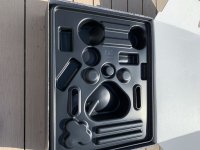
IMG_0033.JPG
 

Attachments

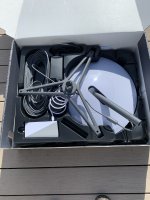
  • IMG_0034.JPG
    IMG_0034.JPG
    2 MB · Views: 158
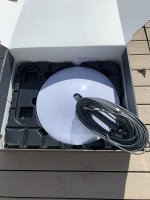
  • IMG_0035.JPG
    IMG_0035.JPG
    1.9 MB · Views: 146
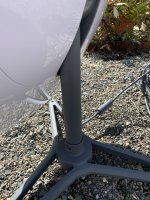
  • IMG_0039.JPG
    IMG_0039.JPG
    1.8 MB · Views: 149
  • IMG_0040.JPG
    IMG_0040.JPG
    3.3 MB · Views: 213
   / Starlink #1,347  
It is great to see more people getting one! What revision is yours?

All the best,

Peter
 
   / Starlink #1,349  
Thanks! The dish is what I was curious about. Rev2 hardware is supposed to have about half the running power of revision 1. (40-50W) With Starlink's recent comments about manufacturing changes, I was curious what is current.

All the best,

Peter
 
   / Starlink #1,351  
Have you tested the speed yet and do you have any problems with obstructions? Congrats, still waiting on mine
 
   / Starlink #1,352  
   / Starlink #1,353  
I have found a fair number of library's in my area have the Kill-A-Watt meter that you can sign out for a week rather than buying your own. Might be worth checking into.
 
   / Starlink #1,354  
I have found a fair number of library's in my area have the Kill-A-Watt meter that you can sign out for a week rather than buying your own. Might be worth checking into.
Or your local electric cooperative (electric supplier)...
 
   / Starlink #1,355  
I did speed test thru the starlink app, said 71Mb to the router. speed test on phone, connected with 2.4 GHz wifi, 45.7 down 7.5 up 51ms test server OneProvider.com, Seattle. Just did PC, speedtest.net Seattle WA, 2.4 GHz WiFi, 33.25 down 11.94 up 64ms

I may need to redo part of my network, i'm using same address space as the starlink router. I haven't tried direct connection to ethernet from either POE injector, nor on the starlink router. I'll probably leave the starlink router in the mix for now, so i can check on some of the debug stuff.
 
   / Starlink #1,356  
I did speed test thru the starlink app, said 71Mb to the router. speed test on phone, connected with 2.4 GHz wifi, 45.7 down 7.5 up 51ms test server OneProvider.com, Seattle. Just did PC, speedtest.net Seattle WA, 2.4 GHz WiFi, 33.25 down 11.94 up 64ms

I may need to redo part of my network, i'm using same address space as the starlink router. I haven't tried direct connection to ethernet from either POE injector, nor on the starlink router. I'll probably leave the starlink router in the mix for now, so i can check on some of the debug stuff.
FWIW: You might want to switch to 5GHz; 2.4GHz is never going to be very fast. The downside is distance. Even 15' distance from the router/access point can cause a significant drop off in speed as do walls. For high speeds, we all probably need a few more access points or mesh networks. I know that I do. I may be "old school", but I try to have everything wired that can be, except for things like phones and tablets. The performance difference is huge. Granted on DSL and going out to the outside world, you would never notice, but for local items like backups to network attached storage, it makes a big difference. With Starlink, you could be leaving quite a bit of performance on the table.

There is also the issue of double NAT; if you are using your router and the Starlink router, it is a good idea to turn off the DHCP service on your router, and make sure that your router knows the gateway is the Starlink router. Having double NAT will definitely slow you down.

All the best,

Peter
 
   / Starlink #1,357  
Just wondering, with starlink do you need to buy a router or does it come with one?
 
   / Starlink #1,358  
Just wondering, with starlink do you need to buy a router or does it come with one?
Comes with one, but the configuration on it is very limited. You can change the wifi network, view devices on it, thats about it. No firewall management, no port config, etc.
 
   / Starlink #1,359  
Yes, as Jchonline said, not much on the router. I did notice that the router mentioned wpa3 as an option, but needed an update to enable it. You can enable split 2.4 and 5GHz, but it that requires reboot. Also as Peter mentioned, 2.4 GHz max theoretical on a single connection would be 54Mb and i don't think the starlink router is capable of MIMO, multi in multi out. As i previously mention with the starlink app speed test, it showed 72Mb to the router, so definitely faster than 2.4 GHz WiFi. I'll be playing with and without the starlik router as the WAN connection to my existing firewall. And im going to move the dish again, to a better location, as far as connecting it into my existing network. Over all, with just the default setup i did, very happy with the speed and latency. I don't do any gaming, so have nothing to report on that. I do a far bit of zoom and ms teams calls, that will be interesting to see how it goes, if it's a problem i can do as i do now and use my cell phone for audio, and join the computer separately. Haven't tried any VPN, ssl or IPSEC yet. My time playing with starlink will be a bit limited due to familial issues.
 
   / Starlink #1,360  
FWIW: You might want to switch to 5GHz; 2.4GHz is never going to be very fast. The downside is distance. Even 15' distance from the router/access point can cause a significant drop off in speed as do walls. For high speeds, we all probably need a few more access points or mesh networks. I know that I do. I may be "old school", but I try to have everything wired that can be, except for things like phones and tablets. The performance difference is huge. Granted on DSL and going out to the outside world, you would never notice, but for local items like backups to network attached storage, it makes a big difference. With Starlink, you could be leaving quite a bit of performance on the table.

There is also the issue of double NAT; if you are using your router and the Starlink router, it is a good idea to turn off the DHCP service on your router, and make sure that your router knows the gateway is the Starlink router. Having double NAT will definitely slow you down.

All the best,

Peter

2.4ghz can support up to 600 Mbps in some configurations, generally 802.11n using MIMO & 40mhz channels instead of 20mhz. Plenty to far exceed Starlink capacities.

The lower the frequency the faster the signal will go & the better penetration through walls & other objects. The higher the frequency, the more the theoretical & practical bandwidth.

2.4ghz especially has issues with shared bandwidth. It's more commonly used & travels farther, so your neighbors can interfere with your signal even if they aren't on your network. 5ghzs shorter range actually helps in this respect. Although given Starlinks audience nearby neighbors aren't going to be much of an issue compared to an apartment complex with 100+ networks trying g to Shar the same 3 non-overlapping 2.4ghz frequencies. The higher bandwidth stuff like 40mhz channel's & MIMO interfere with your neighbors even more.

While double or triple NAT isn't great in theory, I've rarely if ever seen any problems with it in practice. I've ran it for years as my ISP NATs, I NAT for my main network & occasionally triple NAT to some lab networks I spin up. Using consumer home routers with triple NAT I still max out my 25 megabit connection at about 25 megabit easily.

I do agree on wire bring superior to wireless though. I run copper or fiber for everything I have right of way to & isn't mobile.
 

Tractor & Equipment Auctions

UNVERFERTH 330 - 19-INCH EXTENSION KIT FOR RIP-STRIP TOOLBAR PART # 63186G (A55315)
UNVERFERTH 330 -...
2011 NORAM POWER SYSTEMS 100KW GENERATOR (A58214)
2011 NORAM POWER...
Blue Diamond 103709 (A53317)
Blue Diamond...
2019 Dodge Charger Sedan (A59231)
2019 Dodge Charger...
2018 PRINOTH PANTHER T14R ROTATING CRAWLER DUMPER (A60429)
2018 PRINOTH...
FORD 8530 TRACTOR (A58375)
FORD 8530 TRACTOR...
 
Top