Starlink

   / Starlink #3,921  
Well, we have had the dishy for a while now. Even though it is obstructed, I have not had too many problems. A few dropped calls. I'm streaming movies and videos, etc.

Wife tried to work last Friday, but something with their VPN or something didn't work fast enough for her. To be fair, she is impatient and tends to click multiple times when things aren't up to her warp speed. I just got the mount and ethernet adapter. Before I so that, I need to put RJ45 or Keystone adapters on my indoor wiring. I have until a week from Friday to get it all working well. She can be home more if she can have good service out here.
 
   / Starlink #3,922  
Well, we have had the dishy for a while now. Even though it is obstructed, I have not had too many problems. A few dropped calls. I'm streaming movies and videos, etc.

Wife tried to work last Friday, but something with their VPN or something didn't work fast enough for her. To be fair, she is impatient and tends to click multiple times when things aren't up to her warp speed. I just got the mount and ethernet adapter. Before I so that, I need to put RJ45 or Keystone adapters on my indoor wiring. I have until a week from Friday to get it all working well. She can be home more if she can have good service out here.
Do you have any more information?
  • Is your wife's machine wired to a router?
  • Does the router try to do DHCP?
  • Ping times?
  • Download speeds?
  • Upload speeds?
  • Obstruction percent?
  • Frequency of outages less than 2 seconds?
  • Outages of 2 seconds and more?
Preferably with data from the app to a phone close to the router, and then speed tests/ping times on your wife's machine for comparison.

All the best,

Peter
 
   / Starlink #3,923  
Do you have any more information?
  • Is your wife's machine wired to a router?
  • Does the router try to do DHCP?
  • Ping times?
  • Download speeds?
  • Upload speeds?
  • Obstruction percent?
  • Frequency of outages less than 2 seconds?
  • Outages of 2 seconds and more?
Preferably with data from the app to a phone close to the router, and then speed tests/ping times on your wife's machine for comparison.

All the best,

Peter
None of that. (Well, obstruction is upwards of 8%) She was having problems attaching files to emails. Since it was isolated to her company's server, I'll let their IT guys deal with it if it doesn't work when she returns.

She wanted me to snap my fingers and fix it. There was no opportunity to troubleshoot.
 
   / Starlink #3,924  
None of that. (Well, obstruction is upwards of 8%) She was having problems attaching files to emails. Since it was isolated to her company's server, I'll let their IT guys deal with it if it doesn't work when she returns.

She wanted me to snap my fingers and fix it. There was no opportunity to troubleshoot.
Ok, got it. That makes sense, and it is on her IT team, and their VPN / cloud / NAS / directory setup. That isn't a Starlink issue.

🤞
 
   / Starlink #3,925  
8% obstruction is quite high. Your service would be expected to have issues with non-buffered streaming things like Teams/WebEx/Zoom meetings and other time sensitive downloads/uploads. Buffered streaming like Netflix probably won't have too many issues. Same for things like web browsing.
 
   / Starlink #3,926  
^working on it. I have the mount, but I need to complete my wiring before I mount it. I expect that will get it above most obstructions. No rush as it does what I need and wife won't be home again for another 8 days or so.

Right now it's just on the ground and running its cord through the front door so I can communicate. Without it, I cannot even make a call or send a text from indoors.
 
   / Starlink #3,927  
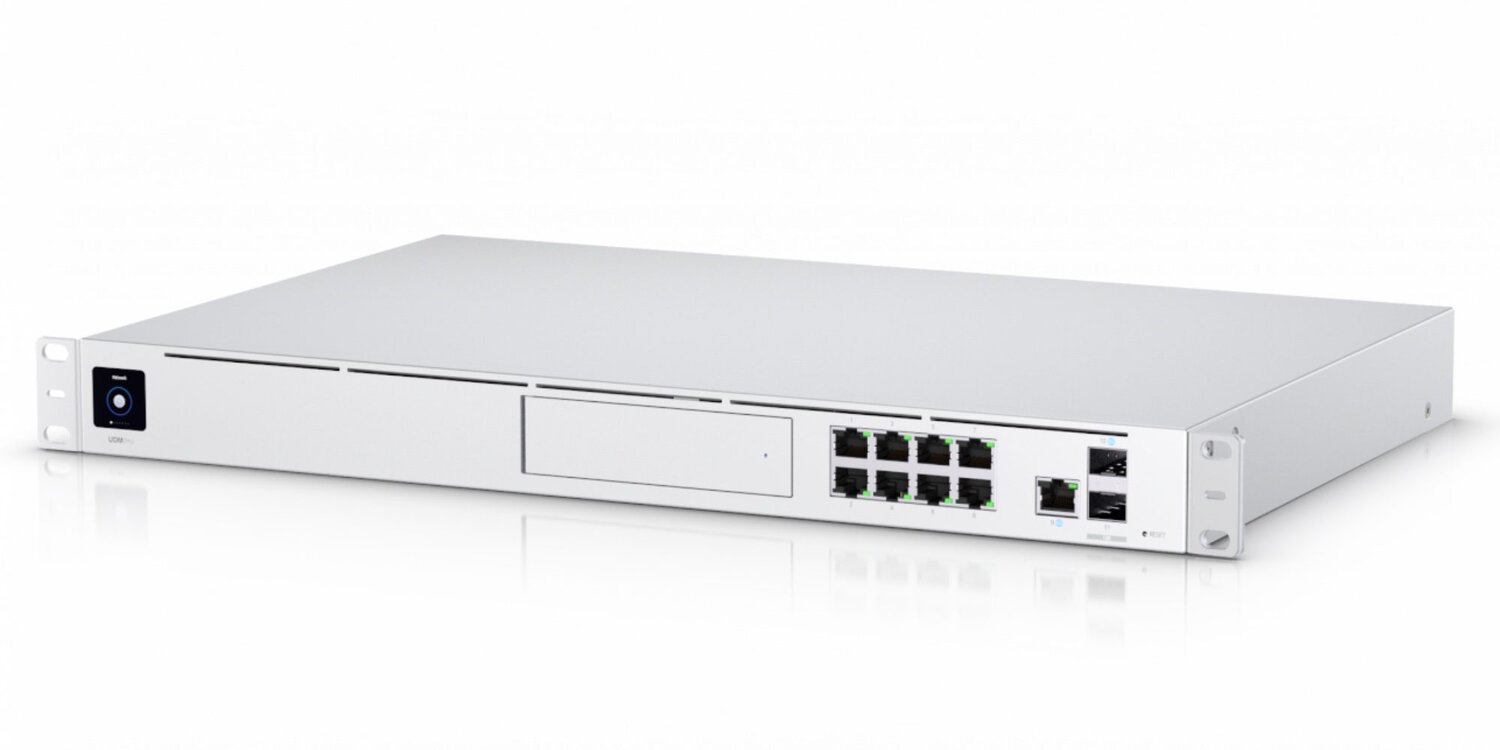
Added Ubiquiti UDM Pro SE to my setup. This gives me Failover for my Starlink from my Mobley.
IMG_1318.JPG


Pretty good speedtest too
IMG_1151.JPG
 
   / Starlink #3,928  
Really nice looking setup! (With great results)

All the best,

Peter
 
   / Starlink #3,929  
Thanks. Sometimes I wish I’d paid better attention in Networking class. Most of it a mystery when I get it to work.
 
   / Starlink #3,930  
Starlink is now @ break even cash flow, rumors it may be taken public eventually.

2 million subscribers and increasing

Elon made a video call while in flight to another in flight aircraft.

Things are definitely moving forward.
 
   / Starlink #3,931  
Thanks. Sometimes I wish I’d paid better attention in Networking class. Most of it a mystery when I get it to work.
why are you using converters in the sfp slots? they waste a ton of power, when there are literally open copper ports.
 
   / Starlink #3,932  
why are you using converters in the sfp slots? they waste a ton of power, when there are literally open copper ports.
Perhaps because that router is coded to be set up to have up to two dedicated WAN inputs, with failover between the two. One port can be copper (1G) and the other is an SFP+ (10G) port. While there is a second SFP+ port, but the second is LAN only.

All the best,

Peter
 
   / Starlink #3,933  
Perhaps because that router is coded to be set up to have up to two dedicated WAN inputs, with failover between the two. One port can be copper (1G) and the other is an SFP+ (10G) port. While there is a second SFP+ port, but the second is LAN only.

All the best,

Peter
its an uplink to a switch, clearly not being used as a WAN port.
 
   / Starlink #3,935  
True. It was what I read as recommended. It works, so I’m happy and didn’t lose 2 future switch ports.

Note But I am using 2 WAN - Starlink and my Mobley.
not sure why they anyone would recommend a sfp to copper converter, they use a ton more power, but if your happy we are all happy.
 
   / Starlink #3,938  
Mobley would be a nice backup that I would love to have, but the AT&T signal here is somewhere below 130, well below completely unusable.

What else are folks using to backup Starlink, just in case?

All the best,

Peter
 
   / Starlink #3,939  
not sure why they anyone would recommend a sfp to copper converter, they use a ton more power, but if your happy we are all happy.
I use them to get from my office to the basement. Cat5e is sketchy for 10 gigabit, but it works. I could run a DAC cable in the wall & downstairs between the switches. But that defeats the purpose of modular infrastructure wiring & forces you to have a permant cable dangl8ng out of the wall instead of a nuce socket. I do use DAC cables downstairs between my firewall & basement switches.
 
   / Starlink #3,940  
I use them to get from my office to the basement. Cat5e is sketchy for 10 gigabit, but it works. I could run a DAC cable in the wall & downstairs between the switches. But that defeats the purpose of modular infrastructure wiring & forces you to have a permant cable dangl8ng out of the wall instead of a nuce socket. I do use DAC cables downstairs between my firewall & basement switches.
DAC cables have a 10M max distance limitation, not sure why you would be using them for in wall runs, fiber is penny on the dollar and can run 10 miles on a simple sfp swap and up to 100G+ if need be. I love fiber, also deals with grounding and lightning issues
 

Tractor & Equipment Auctions

John Deere 855DXUV Gator (A57148)
John Deere 855DXUV...
HYDRAULIC WINCH RACK (A58214)
HYDRAULIC WINCH...
Bigfoot Plastic Baler (A57148)
Bigfoot Plastic...
2018 New Holland C227 Compact Track Loader (A56438)
2018 New Holland...
Hidratrak 8' Rolling Cultivator (A53317)
Hidratrak 8'...
2013 MAXX-D BUMPER PULL TRAILER (A58214)
2013 MAXX-D BUMPER...
 
Top