Starlink

   / Starlink #2,301  
Network issues seem to be consistent with, I think, issues with your ground stations (and their connectivity). You could let Starlink know but I suspect that they are on it already.

All the best,

Peter
 
   / Starlink #2,302  
Starlink has been performing almost perfectly for almost 2 weeks until yesterday. For the last 24 hours, I have been getting 10 to 15 second service interruptions every 4 or 5 minutes. The Starlink app shows no obstructions and all are listed as "network issues". I tried rebooting the system but it made no difference.

Anyone in the northeastern section of PA have the same problem?
I experienced a similar issue here in south Georgia. I received my Dish2 in early February. It worked great for three weeks then started doing what you described along with ‘Unknown’ reasons. No obstructions. I emailed StarLink and they sent me a new entire kit within a week or so. I’m sure glad my initial install was temporary. (Still is :) )
 
Last edited:
   / Starlink #2,303  
I really like watching Country View Acres. Evan received a new Starlink and he built a mounting bracket for the dish, routed the wiring and used a Netgear Network Extender. Great video for a newbie like me and helps us get ready. Fingers crossed on the mid 2022 arrival.

Here's the link if you guys are interested. Country View Acres: Starlink
 
Last edited:
   / Starlink #2,304  
Network issues seem to be consistent with, I think, issues with your ground stations (and their connectivity). You could let Starlink know but I suspect that they are on it already.

All the best,

Peter
We have been experiencing bad weather where I live in northeast PA. The same storm also hit the Starlink ground station that serves me in eastern CT. I thought the problem might be weather related so I waited before contacting customer support.

The service returned to normal shortly after the storm passed. I suppose it could be a coincidence. We've had other storms pass through since I installed Starlink with no noticeable service degradation. This last one was the worst though with prolonged periods of heavy rain.

Time will tell if this will be a recurring weather related problem. It will be a bit upsetting if the Starlink service isn't reliable during bad weather.

Anyone else notice weather related problems?
 
   / Starlink #2,306  
The sad thing is, I noticed an eBay vendor that seems to be selling multiples. The current prices start at $35 and go up to $575 on eBay...

Yes, I am still waiting for the one that I ordered way back when. ;)

All the best,

Peter
 
   / Starlink #2,307  
I am still waiting for the one that I ordered way back when.
I recently received the invitation to sign up for Starlink. The backorder on the ethernet adapter was described as "available late April 2022." I wouldn't wager any money it will actually ship by then ...

I ordered Starlink for two properties. At first, it seemed odd I would get a Starlink order filled first in Nevada. That property has a much higher population. But it also has a lot of providers who have wired up homes with DSL, fiber, etc. So maybe demand is less due to that.

In contrast, in CA, its a rural property where *everyone* wants Starlink because there is little-to-no infrastructure for DSL, fiber, or other alternatives. Even cell service is very spotty. So maybe much higher demand due to that.
 
   / Starlink #2,308  
   / Starlink #2,310  
The sad thing is, I noticed an eBay vendor that seems to be selling multiples. The current prices start at $35 and go up to $575 on eBay...

Yes, I am still waiting for the one that I ordered way back when. ;)

All the best,

Peter

FWIW, this is the timeline for my orders:

2/18/21 - Ordered dish & router kit, roof pivot mount, extended 150' cable and ethernet adapter.
3/24/22 - Received dish & router kit with standard 75' cable.
4/10/22 - Received shipping notice for ethernet adapter with FedEx delivery date estimated to be 4/13/22.

The roof pivot mount and 150' cable are still backordered until mid 2022.
 
   / Starlink #2,311  
I received this email from StarLink today. $130

1100x620.png
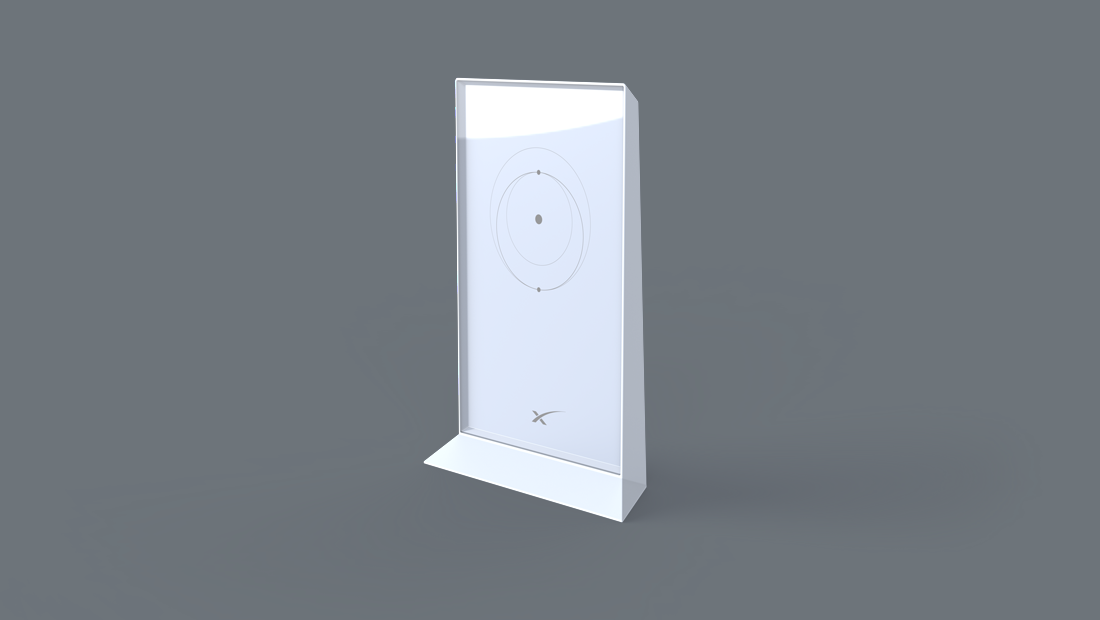
You have the opportunity to be one of the first to try the new Starlink Mesh WiFi Router!

The Starlink team has developed a mesh router to help wirelessly extend your Starlink WiFi network throughout your home and provide a more reliable connection wherever you need it.
 
   / Starlink #2,312  
I do believe i answered my own question, which was happens when you shut the wifi off, how do you get into the router? Ethernet adapter cable came. Networking the starlink router then leaving the starlink's wifi on bothers me. Yes you can shut it off but when you turn it back on you will have to set it up again does not appear to be a big deal(they make you do a factory reset). To get to there speed test and settings and what not you go to the app on your phone go to setting it has you log on through the internet then you can get to what appears to be everything that is available when connected to the router wirelessly. It is kinda spiffy. Is there a way to get into the starlink router off it's ip address?
 
   / Starlink #2,313  
The Starlink controller (what the app connects to and where stats are accessed) is found at the following address:

Name: dishy.starlink.com
Address: 192.168.100.1
 
   / Starlink #2,314  
I received this email from StarLink today. $130

1100x620.png
You have the opportunity to be one of the first to try the new Starlink Mesh WiFi Router!

The Starlink team has developed a mesh router to help wirelessly extend your Starlink WiFi network throughout your home and provide a more reliable connection wherever you need it.
What are the details of their mesh system? How many nodes, what is the coverage area, and how does it connect to the system and do backhaul? Seems like it is on par with price of other decent mesh systems (like Orbi and Deco) so if it connects easily it may be worth it. But there are a lot of good 3rd party setups out there.

Rob
 
   / Starlink #2,315  
What are the details of their mesh system? How many nodes, what is the coverage area, and how does it connect to the system and do backhaul? Seems like it is on par with price of other decent mesh systems (like Orbi and Deco) so if it connects easily it may be worth it. But there are a lot of good 3rd party setups out there.

Rob
what kind of details are you looking for. each node is prolly 130 bucks, it nothing more then a 5ghz with 2 radio's one for backhaul and one for normal communication....
 
   / Starlink #2,316  
Was just curious how it compared the known mesh systems and whether it had dedicated backhaul channel. At $130 per node, that is probably a fair amount more expensive. I think my Deco M9 Plus 3-node mesh system was under $200.
 
   / Starlink #2,317  
Based at how much slower the router is running the speed test compared to running a speed test through it, I wouldn't want to bet on the mesh performance, but I would love to be wrong.

All the best,

Peter
 
   / Starlink #2,318  
Based at how much slower the router is running the speed test compared to running a speed test through it, I wouldn't want to bet on the mesh performance, but I would love to be wrong.

All the best,

Peter
idk this router, but you should never run a speed test using the hardware the router itself uses. because the cpu may be slow causing performance issues to generate traffic.

simply use fast.com and call it a day.

mesh performance can be good, its not half duplex in mesh mode. but speed is still determined by antenna strength noise floor, etc...
 
   / Starlink #2,319  
@LittleBill21 I agree, but that's not the way Starlink does it, and the fact that Starlink's own internal speed test bogs the CPU suggests to me that the CPU is close to maxed out, which is why I bring it up, as the base router will be doing front and back channel work for mesh operation. Lots of vendors make it work, so it is doable. I am just not sure that this system will handle it well. Again, I would love to be wrong.

All the best,

Peter
 
   / Starlink #2,320  
@LittleBill21 I agree, but that's not the way Starlink does it, and the fact that Starlink's own internal speed test bogs the CPU suggests to me that the CPU is close to maxed out, which is why I bring it up, as the base router will be doing front and back channel work for mesh operation. Lots of vendors make it work, so it is doable. I am just not sure that this system will handle it well. Again, I would love to be wrong.

All the best,

Peter

that's not necessarily true. I use router made by mikrotik, that have the ability to generate traffic for a Btest, and it does terrible in that regard. but is totally acceptable for normal router use. creating traffic is a significant higher load, then wifi demands ( you can actually see the process loads on tik)
 

Tractor & Equipment Auctions

30 INCH TOOTHLESS BUCKET FOR MINI EXCAVATOR (A58214)
30 INCH TOOTHLESS...
Club Car Carryall 500 Utility Cart (A59228)
Club Car Carryall...
2020 PETERBILT 567 (A58214)
2020 PETERBILT 567...
2020 MACK GR64FT (A58214)
2020 MACK GR64FT...
500 BBL FRAC TANK (A58214)
500 BBL FRAC TANK...
2011 SHOP MANIFOLD TRAILER (A58214)
2011 SHOP MANIFOLD...
 
Top