My couch potato's

/ My couch potato's #21  
You see........this is why I didn't post a photo earlier. I knew I would post way too many.

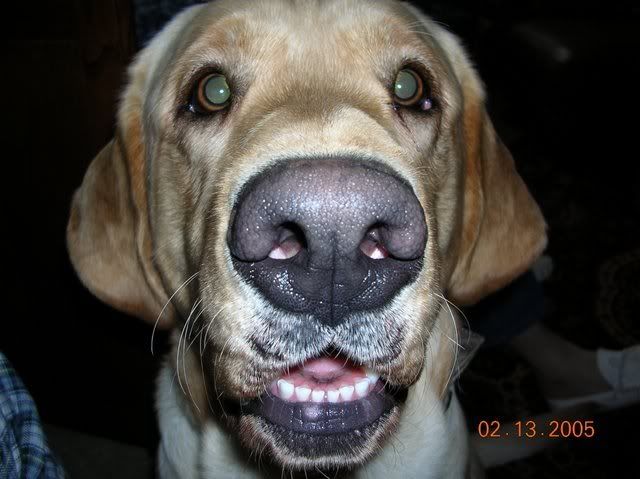
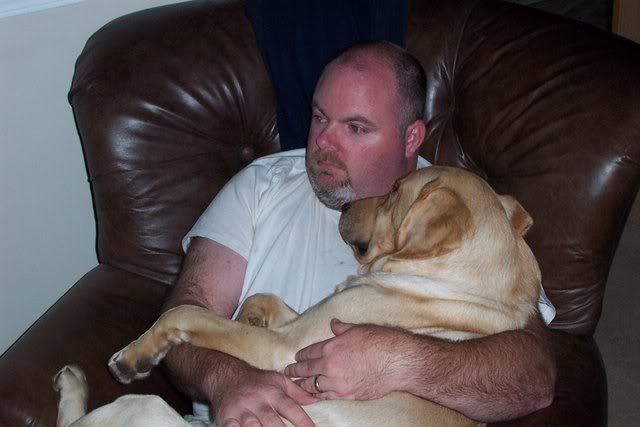
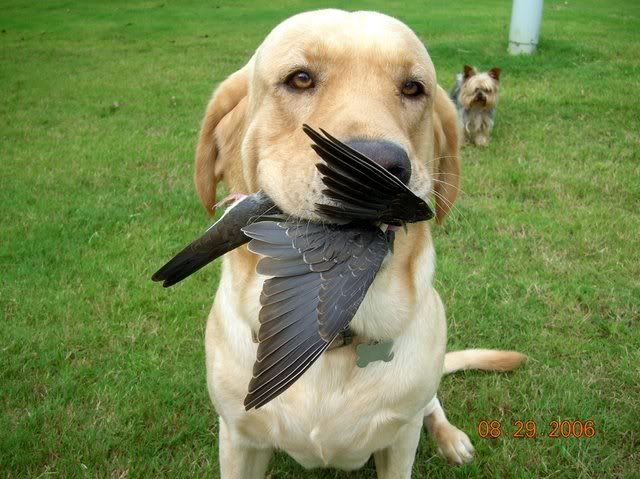
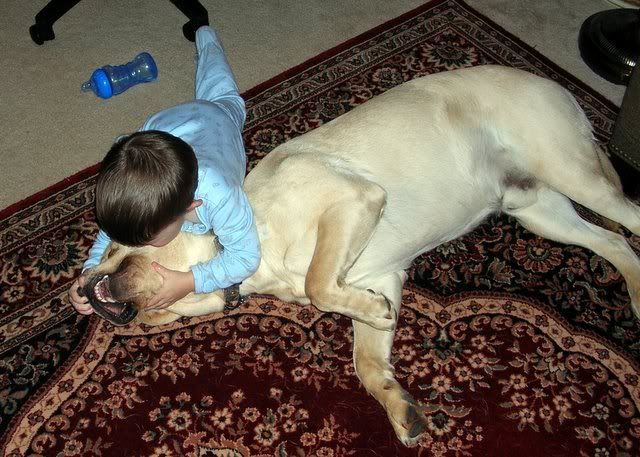
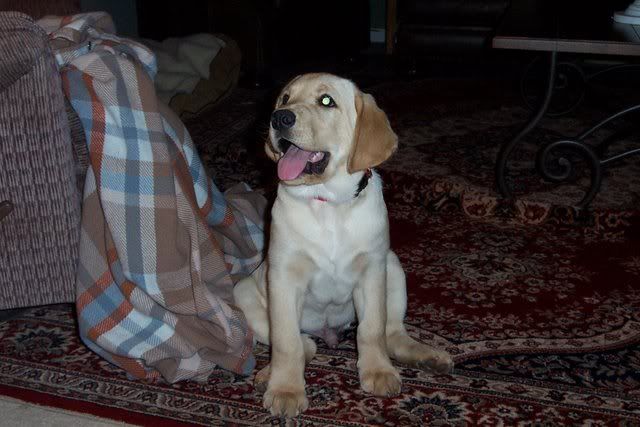
Here's Riley

DSCN1434.jpg


DSCN2499.jpg


DSCN0018.jpg


tonyrileysleepy.jpg


DSCN6148.jpg


DSCN0617.jpg


And the week we got him:

DCP_1834.jpg


Man I love this dog! Now with the kids, I take Riley for granted. But going through these old photos reminds me.

He loves the tractor too. In fact, he's likely to get hurt by it because he will stay a few feet off of it. It's the funniest thing. I'll be doing boxblade work...back and forth....back and forth. And he'll follow in that same pattern. :rolleyes:

I'm concerned for his safety, but I'd have to lock him up to keep him from being underfoot. I take a "he's got to live his life" approach.
 
/ My couch potato's #22  
Well, I see from the pictures that my wife isn't the only one who keeps a pillow on the couch for her couch potato. And Podunk, you're right about the chihuahuas. I don't know how a dog that small can bark that loud.
 

Attachments

  • PB120001 (Small).JPG
    PB120001 (Small).JPG
    67 KB · Views: 229
/ My couch potato's #23  
Podunkadunk said:
Sig...I just learned this today.

Here's how you do it.

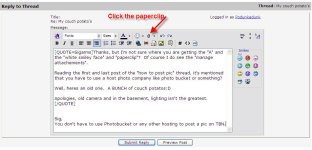
When you go to post, whether it's a new post, or you're replying to one and want to post a pic: Up at the top to the right of the "A" and the White Smiley face is a "paper clip". Use this one to attach your picture. Use it just the way you normally use the one at the bottom (which attaches "links" to the pic).

In a nutshell:
-If you use the top "paperclip" attach button, you'll attach the entire pic in your post.

-If you use the "manage attachment" button at the bottom of the page, you'll attach just a link.

I've been on TBN for 11 months and just today figured this out.:eek:

If you're posting a lot of pics, use the links. If it's just a few, use the paperclip, which will insert the whole pic in the post. I put in about 40 pics today and each of them is a whole pic. For the life of me, I couldn't figure out how to post them with links. Then after I got them all loaded, I figured it out...a little late, but at least I learned something.

-Podunk

Thanks, but I'm not sure where you are getting the "A" and the "white smiley face" and "paperclip"? Of course I do see the "manage attachements".

Reading the first and last post of the "how to post pic" thread, it's mentioned that you have to use a host photo company like photo bucket or something?

Well, heres an old one. A BUNCH of couch potatos:D

Apologies, old camera and in the basement, lighting isn't the greatest.
 

Attachments

  • Copy of Couch gang2.JPG
    Copy of Couch gang2.JPG
    136.2 KB · Views: 215
/ My couch potato's #24  
Sigarms said:
Thanks, but I'm not sure where you are getting the "A" and the "white smiley face" and "paperclip"? Of course I do see the "manage attachements".

Reading the first and last post of the "how to post pic" thread, it's mentioned that you have to use a host photo company like photo bucket or something?

Well, heres an old one. A BUNCH of couch potatos:D

Apologies, old camera and in the basement, lighting isn't the greatest.


Sig,
You don't have to use Photobucket or any other hosting to post a pic on TBN.

Try these steps:

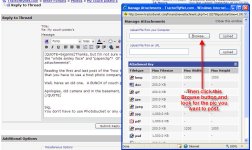
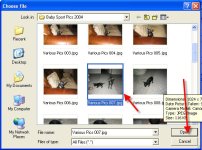
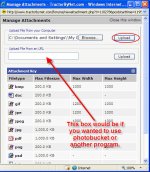
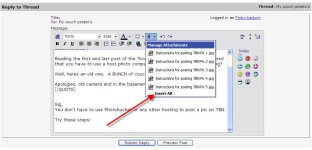
Find the paperclip, then click it. A manage attachment window will open. Click "Browse". You'll then look around for your photo on your computer. Once you find it, select it and click "Open". The Manage Attachment window will open again, you'll see your file in the field, then click "Upload". After some upload time, you'll see your picture under "Current Attachments". Your pic is there, just close that window, unless you want to upload more pics. If so, repeat previous steps. Once you have all the pics you want to show on TBN loaded, click the paperclip again. All your pics will show there. Either select the ones you want to add to your post, or "Insert All".

You're done.

Good luck!

Podunk

Instructions for posting TBN Pic 1.jpg

Instructions for posting TBN Pic 2.jpg

Instructions for posting TBN Pic 3.jpg

Instructions for posting TBN Pic 4.jpg

Instructions for posting TBN Pic 5.jpg

Instructions for posting TBN Pic 6.jpg
 
/ My couch potato's #25  
Podunkadunk said:
Sig...I just learned this today.

Here's how you do it.

When you go to post, whether it's a new post, or you're replying to one and want to post a pic: Up at the top to the right of the "A" and the White Smiley face is a "paper clip". Use this one to attach your picture. Use it just the way you normally use the one at the bottom (which attaches "links" to the pic).

In a nutshell:
-If you use the top "paperclip" attach button, you'll attach the entire pic in your post.

-If you use the "manage attachment" button at the bottom of the page, you'll attach just a link.

I've been on TBN for 11 months and just today figured this out.:eek:

If you're posting a lot of pics, use the links. If it's just a few, use the paperclip, which will insert the whole pic in the post. I put in about 40 pics today and each of them is a whole pic. For the life of me, I couldn't figure out how to post them with links. Then after I got them all loaded, I figured it out...a little late, but at least I learned something.

-Podunk[/QUOTE

Podunk, thanks for trying to make it idiot proof, myself being an idiot however, I don't have any "paperclip" or "smiley face" or actually anything like the "screen" that you posted to make it easier.
 
/ My couch potato's #26  
Sigarms said:
Podunkadunk said:
Sig...I just learned this today.

Here's how you do it.

When you go to post, whether it's a new post, or you're replying to one and want to post a pic: Up at the top to the right of the "A" and the White Smiley face is a "paper clip". [/QUOTE

How do you turn on the "A" "Smileie" "Paperclip" and alll the other symbols. None of that shows when I click "reply"

I do see the "Manage attachments" box.

Thanks
 
/ My couch potato's #27  
OK Found the symbols. Here is a pic of my couch potato.
 

Attachments

  • Cinder Easter Monday 1.jpg
    Cinder Easter Monday 1.jpg
    22.7 KB · Views: 202
/ My couch potato's #28  
Sigarms said:
Podunk, thanks for trying to make it idiot proof, myself being an idiot however, I don't have any "paperclip" or "smiley face" or actually anything like the "screen" that you posted to make it easier.

Sig,
You aren't an idiot! Something isn't defaulting on your screen the way mine does and I'm not really sure why :confused: I don't give up so easily though ;) and we'll get to the bottom of it...Does the very bottom of your screen (left side, scroll all the way down to the bottom) look like this (pic)? I'm not sure why you wouldn't see what I and a lot of others see when you are posting...there's also a "Go Advanced" button you can try to click and see if that allows you to see the "paperclip". If this doesn't help Sig, I don't know what else to do except contact Hakim or another admin...

TBN instructions 7.jpg
 
/ My couch potato's #29  
rtdiggr said:
I have been trying to make a separate attachment so people without high speed don't have to access it if they don't want to.
Shane
I wish it were done this way more often. On dial-up, a lot of hotel connections and my data card in a bad reception area, I end up closing out of the thread completely because it takes so long to load with in-line pics. It occasionally locks up the computer.
 
/ My couch potato's #30  
CinderSchnauzer said:
OK Found the symbols. Here is a pic of my couch potato.

Cinder,
You must have been seeing the same thing that SigArms does when he posts. What did you do to enable yourself to see the little paperclip? Did you click the "Go Advanced" button? Or was there something else you clicked?

Thanks...trying to get Sig squared away so he can post pictures directly...

Podunk
 
/ My couch potato's #31  
Go to the "My Home" menu at the top of the page and turn on "advanced editor". I use to think " haow are all these people putting in smiley faces and stuff until I found the editor setting.
 
/ My couch potato's #33  
Well Well!

My FIL from Vermont.

Podunk, I've learned that if I lower peoples expectations of myself, sometimes I can surprise them:D

Thanks.

Had to go and change my settings, one reason why I couldn't see that darn paperclip.


Copy of lexiperry2.JPG
 
/ My couch potato's #34  
Click on "FAQ"
Select "User Maintenance"
Select "How...Change...Profile"
Click on underlined "here"
In Control Panel Select "Edit Options"
Scroll to bottom - Misc Options - Message Editor Interface
In the Box - Select "Enhanced Interface - Full WYSIWYG Editing"
 
/ My couch potato's #35  
Sig, bravo! Glad you got it straight!

Cinder...Thanks for your help!

shaley...Thanks for your help also!!!

I knew we'd get it figured out after a while. Like I said, took me almost a year to figure it out! However, with me, I was always posting the full pic and couldn't figure out how everyone was posting a link to a picture until just the other day.

Happy picture posting to all!

Podunk
 
/ My couch potato's
  • Thread Starter
#36  
Podunk thanks for the posting about how to post pics it is definately worth 1000 words.

Shane
 
/ My couch potato's
  • Thread Starter
#38  
Sure cats can be allowed, i like that pic

Shane
 
/ My couch potato's
  • Thread Starter
#40  
Sigarms said:
Yeah, only problem is that some of the dogs don't like the cats:D


We had a cat come around for about 8 weeks, the friendliest thing you every meet. Well my big Doby finally came nose to nose, there was no harm but the cat doesn't come around anymore i have only seen it twice since. I just hope it went to another house and someone is taking care of it.

Shane
 

Marketplace Items

66'' BUCKET WITH TEETH (A61567)
66'' BUCKET WITH...
INGERSOLL RAND  G25 GENERATOR (A60736)
INGERSOLL RAND...
2011 Ford F-550 Bucket Truck - Power Stroke Diesel, Altec AT40G Boom, 45 ft Working Height (A61306)
2011 Ford F-550...
2020 CHEVROLET SILVERADO CREW CAB TRUCK (A59823)
2020 CHEVROLET...
1998 POLAR TANK (A60736)
1998 POLAR TANK...
2018 Chevrolet Trax SUV (A59231)
2018 Chevrolet...
 
Top