Security cams again - specifically Netgear Vuezone

   / Security cams again - specifically Netgear Vuezone #1  

newbury

Super Star Member
Joined
Jan 8, 2009
Messages
14,842
Location
From Vt, in Va, retiring to MS
Tractor
Kubota's - B7610, M4700
Recently had an alarm go off at our retirement house, police came, no intrusion just a flaky alarm.

But we basically made an unplanned trip from DC to Fulton, Mississippi to get it fixed.

During which SWMBO discussed how she wants security cams to monitor inside the house. Primarily so we could look in briefly to make sure everything is OK.

She has no idea what these systems cost. A quick quote from our security people showed it would be far more than what she wanted to spend.

BUT in researching things I ran across these Amazon.com: NETGEAR VueZone Home Video Monitoring System - 1 Motion Detection Camera (VZSM2200): Camera & Photo which is a battery operated wireless ip camera.

Supposedly EASY to hook up and fairly reliable (based on Amazon reviews).

Does anyone here use them? If so how do you like them?
 
   / Security cams again - specifically Netgear Vuezone #2  
I read the longest and most important review on Amazon and it reveals a lot about this Netgear system.
'
This is a subscription service for remote viewing. It's also NOT really real time video. The late motion detection misses the mark a far as watching someone come through a door. The customer service was not good. There a plenty of other issues. Because its 'wireless' the system is completely battery powered. So, you'll be changing batteries lot, so look forward to a lot of trips 'back home'.

I have a Swann analog system that works pretty cool. Up to 9 cameras from Costco with a real DVR for playback. I have wired cameras. Tried wireless cameras previously: NFG. And, you still need a wire for the power supply to the cameras. One of my cameras is at 700 feet from the house. It watches outward of the driveway entrance. I'm going to put another one out there to see the license plate as necessary.

I use these cameras to watch and keep track of the dogs outside, the UPS and mail and visitors, some even unknown wanderers. I have it hooked up to my UVerse router. That means its able to talk to the internet from anywhere in the world. Swann hosts your DNS client for you (That's the formal name you pick for your 'mailbox' instead of using your street address+ gps coordinates, so to speak [that being your ip address].

I had a Q-See before the Swann and replaced it for more cameras and because 2 of the Q-See channels went on vacation. The Swann viewing software is much better than the Q-See viewing program (easier to use), too.

So, you need 120v power (DVR and camera power supplies (or a hefty 12v supply; perhaps a solar charged truck/marine battery. You need internet access for remote viewing, and you need to mount the cameras and DVR where they are useful but won't be targeted for destruction.

These systems make more sense to me to know what's going on when you are 'there' because if you are 800 miles away when the fire starts, it raises the stress levels hard and fast. Mine work really good at night, too. On a snowy evening, watching a deer roll up under a tree is pretty interesting to observe. I have an HDMI wire from the DVR to my TV. When the Miltronics alarm pings (knock-knock from the street) I can hit a channel on the big screen and see whose there. It's pretty cool to surprise your 'guests' before they even know where the house is.
Good luck identifying thieves with these systems unless you can get a license plate and the perps home country and address. They are well prepared for their activity(s) and around here are headed back to the 52nd state before the Law would ever try to catch them.
 
   / Security cams again - specifically Netgear Vuezone #4  
All kinds of solutions available, especially if you have internet at that location. It really depends on how much money you have to spend.
 
   / Security cams again - specifically Netgear Vuezone #5  
Busnell has a new camera out that transmits to a phone or computer.Sold as a game camera but no reason it couldn't be used for security.They are tied to AT&T service.Camera is about $600.00 plus a monthly fee.I have regular Bushnell cameras and they last up to a year on batteries.
 
   / Security cams again - specifically Netgear Vuezone #7  
If you have internet there, you can get a Panasonic Network camera and view it from anywhere on the internet. Prices range from about $100-300 depending on the options. We got one for our last house, and it worked well. Have not hooked up at our new house yet, but plan to.

I usually set it up to show the live image, and to store images when it detects motion (so you can go back and review the archive and see if anything happened in the past).
 
   / Security cams again - specifically Netgear Vuezone #8  
I have 20 years experience of monitoring/running a second home. If I were starting over, I would do as others have said, and get an internet connection, if you don't have one. I'd then run a low-power computer 24/7 and install Blue Iris - Home. You can add cameras - just about any type - as you like and have full access from the Web. Blue Iris has great motion detection and will send you email or even call you with an alarm.

With that basic infrastructure in place (network & PC), you can begin to add other monitoring devices. And you can do all your monitor from the Web and without paying monthly fees.
 
   / Security cams again - specifically Netgear Vuezone
  • Thread Starter
#9  
BUT in researching things I ran across these Amazon.com: NETGEAR VueZone Home Video Monitoring System - 1 Motion Detection Camera (VZSM2200): Camera & Photo which is a battery operated wireless ip camera.

Supposedly EASY to hook up and fairly reliable (based on Amazon reviews).

Does anyone here use them? If so how do you like them?

So it's been about a day and it looks like several people have opinions on security cameras but no Vuezone owners to answer my questions.

I have internet. I have Foscam. I have other web cameras. I'm not trying to monitor for security but rather take a quick look AFTER my paid security alarm goes off. The Vuezone seems like a nice system to do a minimum job for under $200. And the cameras are easily moved around so when I want to monitor the garden or oversee a contractor it will be easy to do without rewiring.
 
   / Security cams again - specifically Netgear Vuezone #10  
I spend a fair amount of time dealing with surveillance systems that are extremely complex. One system I really like is the Milestone XProtect Go free software (up to 8 cameras). They store 5 days worth of video on their cloud system, at no charge, and you can access it afterwards if something happens. You can real-time access it via smart phone/tablet, normal computer, etc. It generally doesn't matter what sort of cameras you're running, so you could probably use wireless, battery powered cameras just as easily as wired.

XProtect Go - Milestonesys.com

My concern with wireless cameras is that most of them are using a typical 802.11 connection, and smart bad guys know how to shut those down.

If you can run an ethernet cable to the camera location, you can now power the cameras through the ethernet cable (google "power over ethernet"). A couple of guys I work with have bought POE setups from this guy, and have been really happy.
Multiport Passive Power over Ethernet injectors with 4, 8 or 12 ports

If you can't keep within the normal distance for Cat 5e or Cat 6 (roughly 300ft), they make ethernet to fiber converters that you could put on both ends, and run something like 1,000ft.
 
   / Security cams again - specifically Netgear Vuezone #11  
Investigate DropCam HD. I am using 2 DropCam HD cameras. They are completely wifi (I cannot use ethernet...too far). The only criterion is you must have .5 mbps bandwidth upload per camera. Setup takes less than 5 minutes, and anywhere I can access the web I can see what the camera sees. It is motion sensitive, sends alert, and there is on year cloud dvr for $99 per year. You can generate video clips, and the video has digital zoom.
 
   / Security cams again - specifically Netgear Vuezone #12  
No exeriance with the Vuezone. However, A couple of years ago I went through this same process. After doing tons of research I found that standard "tv" type cameras that sent the image over coaxial cable were not for me. The resolution was not nearly high enough. The cameras bosted that they have high resolution, but the technology behind how the image is transmitted is quite old and that is where the bottle neck is. For me, I would have hated to have bought and installed a system only to find out that I could not legally prosecute because the image quality was low. SO...I decided on HD network cameras. Specifically Vivotek IP8332. They have been up and running for two years now and I am absolutely happy with their performance. As of late, the temperature has gotten down to -18F and they still work, outside, mounted under my soffits. I bought two cameras, a POE network switch, cable, and a 2Tb hard drive. All together I think I have just over $900 invested. I can add more cameras with the only cost being the cameras (~$325 each). If I buy another switch I can add 4 more cameras, and so on. If they are in an area where you can plug them in to a power outlet, there is no need for the POE switch.
These are a web server by themselves. I do have broadband going all the time, although not necessary if I do not want to veiw remotely. All images, videos are stored on my PC harddrive but you could set these up to save to a NAS (remote) hard drive, which I will do at some point.

I had a hard time dealing with the upfront cost of the cameras, but I see how nice they are and they are well worth the money if you feel you need them. As stated, I have mine mounted outside so they are always being triggered. If someone had one in a secure location they can easily be set up to text you or email you if a particular event happens. Very nice.

These did aid in prosecution of an individual. Even the police stated how nice it was to have a quality image and that they are always surprised to find that business in particular have low resolution images that really do not tell much.

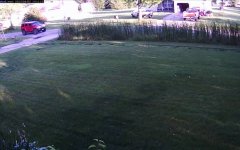
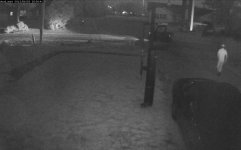
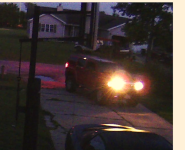
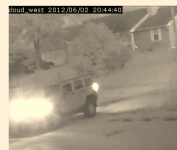
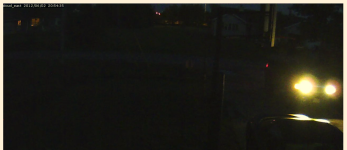
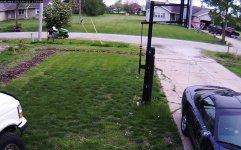
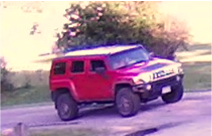
My experiance, a GREAT deal. I'm sure there are other brands that do similar. This is just my experience. I will include a couple of images shot from the cameras. These cameras are mounted about 75 feet from the road to give you a frame of reference. Some of them have been cropped because I pulled them from a document I created that aided in prosecution. Picture2.jpgPicture3.pngPicture4.jpgPicture5.pngPicture6.pngPicture7.pngPicture8.jpgPicture9.pngPicture2.jpgPicture3.pngPicture4.jpgPicture5.pngPicture6.pngPicture7.pngPicture8.jpgPicture9.png

I hope this helps.
 
   / Security cams again - specifically Netgear Vuezone #13  
So it's been about a day and it looks like several people have opinions on security cameras but no Vuezone owners to answer my questions.

I have internet. I have Foscam. I have other web cameras. I'm not trying to monitor for security but rather take a quick look AFTER my paid security alarm goes off. The Vuezone seems like a nice system to do a minimum job for under $200. And the cameras are easily moved around so when I want to monitor the garden or oversee a contractor it will be easy to do without rewiring.

But read the reviews: Its NOT a $200 system once you add in all the periodic new battery replacements and the subscription service costs. And, the customer support appears to be horrid. Maybe that's why there are no owners replying: Its not such a great solution.
 
   / Security cams again - specifically Netgear Vuezone #14  
I have been using DropCam for a while they work great indoors. Looking out a window works but not at night. An external version would be much better. For the price I have not found anything better.
 
   / Security cams again - specifically Netgear Vuezone #15  
We use Q-see (and I am not in love wit the system) on both houses.

The downside of the system you are looking at is that it is battery operated. I would expect at least a weekly if not monthly battery replacement regiment. You want something that plugs into house power at the least.

I personally suggest going bigger, getting one of the packages from Swann, Q-see or Samsung (costco now carries it) and wiring up multiple cameras to your house. The problem you are going to have is the wife will look at this one camera, then want to see something else. Trust me. We started with 4 cameras, all houses now have 8.
 
   / Security cams again - specifically Netgear Vuezone
  • Thread Starter
#16  
But read the reviews: Its NOT a $200 system once you add in all the periodic new battery replacements and the subscription service costs. And, the customer support appears to be horrid. Maybe that's why there are no owners replying: Its not such a great solution.
For $150 I got form COSTCO the two cams, 4 batteries and base receiver plus it INCLUDED 1 year of their $50 "Premier" service which lets me monitor up to 5 cams.

Reports I've read so far indicate about a years moderate usage out of the batteries. On Amazon - about $1.80 each. ANY truly wireless solution will require some way of getting power to the system.

The hardest part of the setup was filling out the on-line set up.
Plug their receiver in.
Put supplied batteries in the camera.
Turn on and "sync" the camera (push a button).
Log into Vuezone and view the cameras.

I've one camera about 60 feet away from the receiver, thru the floor and three walls. Works fine.They seem to be designed to be both idiot and fool proof. The image is like a decent web cam.

I'm not trying to monitor for security but rather take a quick look AFTER my paid security alarm goes off.

And if I want to move one it doesn't have to be near a power outlet. Out front under the eaves works fine. They are simple enough for SWMBO to use (she's a lawyer).

Pop it into a bedroom when the grandbaby visits. Set it outside to see if the UPS guy REALLY tried to make a delivery. We've had several cases where delivery attempts were claimed when there wasn't a car in the driveway but someone was home.

Sometimes the simple solution works well.
 
   / Security cams again - specifically Netgear Vuezone
  • Thread Starter
#17  
Update at 5 months of light use:
But read the reviews: Its NOT a $200 system once you add in all the periodic new battery replacements and the subscription service costs. And, the customer support appears to be horrid. Maybe that's why there are no owners replying: Its not such a great solution.
Your correct, it was $150 for the 2 cameras, and about $3 for the 2 batteries which now show about half charge after use from end of January to today, June 5th. No subscription fee for basic service (viewing 2 cameras).

We use Q-see (and I am not in love wit the system) on both houses.

The downside of the system you are looking at is that it is battery operated. I would expect at least a weekly if not monthly battery replacement regiment. You want something that plugs into house power at the least.

I personally suggest going bigger, getting one of the packages from Swann, Q-see or Samsung (costco now carries it) and wiring up multiple cameras to your house. The problem you are going to have is the wife will look at this one camera, then want to see something else. Trust me. We started with 4 cameras, all houses now have 8.

Well, I expected bimonthly battery replacement, but so far it's 5 full months. And as far as "wiring up multiple cameras", I walk to the camera, pick it up and move it. I've used it to "monitor" people doing work on the house, a slight leak I was afraid would grow, and general checkups to see if anything was disturbed while we were 900 miles away.

To me the UPSIDE of the system is that the camera is WIRELESS - WHICH MEANS NO WIRES. I only have to worry about being in wireless range, NO power cord required.

I'm not saying it's a great "security system" but it does provide "eyes on" without having to string a cable or power cord. And the simplicity in setup was outstanding. I'm NOT watching the cameras for hours each day, which I imagine would suck down the batteries. And I'm not turning them off to save battery usage.

/edit - plus the system provides a lot of useless data to NSA!
 
Last edited:
   / Security cams again - specifically Netgear Vuezone #18  
Good to know. Very intrigued how the battery lasts so long. Would you be comfortable showing us a still frame from one of the cameras. Interested in video quality.

But again, this is contrary to what I had heard but exciting enough for me to reconsider our system.
 
   / Security cams again - specifically Netgear Vuezone
  • Thread Starter
#19  
Good to know. Very intrigued how the battery lasts so long. Would you be comfortable showing us a still frame from one of the cameras. Interested in video quality.

But again, this is contrary to what I had heard but exciting enough for me to reconsider our system.
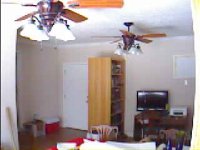
Again - remember I don't use it often. It's primary purpose was to be able to do a quick check and NOT require wires.

0522203458.jpg
 
   / Security cams again - specifically Netgear Vuezone
  • Thread Starter
#20  
One more update with the Vuezone system.

It does present a problem with people who turn off the power.

Last trip to Virginia SWMBO turned off the TV AND the router, effectively shutting the system down.

As soon as we got back and turned it all on everything worked fine.
 

Tractor & Equipment Auctions

2018 KOMATSU WA200-8 WHEEL LOADER (A60429)
2018 KOMATSU...
2014 Kia Sedona Van (A59231)
2014 Kia Sedona...
ALLMETAL MOBILE PRESSURE WASHER (A58214)
ALLMETAL MOBILE...
22FT Roadway Dry Van Pup Trailer (A56438)
22FT Roadway Dry...
NEW HOLLAND 706 30 INCH 3PT DIRT SCOOP (A57024)
NEW HOLLAND 706 30...
Ford 8210 (A60462)
Ford 8210 (A60462)
 
Top