Why do i see edit after i post?

/ Why do i see edit after i post? #21  
LB

O DEER_____________________HA HA HA :D


When i first started posting i couldn't see the EDIT, then three days ago it just started showing up, but now i understand that it just last for several hours then it goes away.(i feel special now)


This problem just started tonight, after i post on a thread i go back

later and i see where i can__edit__ my post.


Isn't that normal? At least for the first 24 hours or so after the time of the post?


johndeere4300, sorry for the hijack,
I'm just experimenting here trying to figure out how to do multi quotes. the way I just did this is by opening another tab, logging into TBN then selecting quote from the post, then coming back to this tab and pasting.

Is there an easier way?

JB.
 
/ Why do i see edit after i post? #22  
johndeere4300, sorry for the hijack,
I'm just experimenting here trying to figure out how to do multi quotes. the way I just did this is by opening another tab, logging into TBN then selecting quote from the post, then coming back to this tab and pasting.

Is there an easier way?

JB.


Isn't that normal? At least for the first 24 hours or so after the time of the post?


From the FAQ:
If you want to post replies to multiple posts you can select them by clicking the multi quote button
multiquote_off.gif
. This button will change to indicate that you've selected it. Clicking post reply will then bring you to the full editor with all the posts quoted.

The way I got mutltiple quotes in this message was:
As I was reading the thread, when I see a message I want to quote, click on the "multi-quote" button under that message. It will change to show a red background. Continue reading the thread and when another message is found that you want to quote, click on the "multi-quote" button under that message. Continue doing that until all messages that you want to quote have been identified. Then, click on the "Post Reply" button. The editor window will open with all the selected messages quoted. No additional tabs or windows are needed.
 
/ Why do i see edit after i post? #23  
THATS REALLY NO BIG DEAL.
Yer rite.
johndeere4300, sorry for the hijack,
I'm just experimenting here trying to figure out how to do multi quotes. the way I just did this is by opening another tab, logging into TBN then selecting quote from the post, then coming back to this tab and pasting.
Is there an easier way?
JB.

Yup do it like I did this one.
At the lower right corner of each post you will see these buttons.
click on this one and the blue in it turns to red.
Go down through the thread and click this button in each post you want to quote making sure the button turns to red before moving on ; except for the last post you want to quote.
On the last one simply click the button and the reply page will open up for you.
Now all you do is type your reply under each quote.
Hope this helps ya out !
 
/ Why do i see edit after i post? #24  
From the FAQ:


The way I got mutltiple quotes in this message was:
As I was reading the thread, when I see a message I want to quote, click on the "multi-quote" button under that message. It will change to show a red background. Continue reading the thread and when another message is found that you want to quote, click on the "multi-quote" button under that message. Continue doing that until all messages that you want to quote have been identified. Then, click on the "Post Reply" button. The editor window will open with all the selected messages quoted. No additional tabs or windows are needed.

As long as I've been around on TBN, I'm still slowly learning.:D I never knew what that "multi-quote" button was for until now.:eek:
 
/ Why do i see edit after i post?
  • Thread Starter
#25  
johndeere4300, sorry for the hijack,
I'm just experimenting here trying to figure out how to do multi quotes. the way I just did this is by opening another tab, logging into TBN then selecting quote from the post, then coming back to this tab and pasting.

Is there an easier way?

JB.


JB4310,
Your not high jacking, but this did bring up another thing, when i try
to multi quote sometimes it doesn't turn out the way you did it.
now i just learned another thing.__(i still haven't tried to load any pictures)

* Good thing we have LB, he can multi quote, and use every color you
can think of, and even email his self:
 
/ Why do i see edit after i post? #26  
From the FAQ:


The way I got mutltiple quotes in this message was:
As I was reading the thread, when I see a message I want to quote, click on the "multi-quote" button under that message. It will change to show a red background. Continue reading the thread and when another message is found that you want to quote, click on the "multi-quote" button under that message. Continue doing that until all messages that you want to quote have been identified. Then, click on the "Post Reply" button. The editor window will open with all the selected messages quoted. No additional tabs or windows are needed.

Yer rite.


Yup do it like I did this one.
At the lower right corner of each post you will see these buttons.
click on this one and the blue in it turns to red.
Go down through the thread and click this button in each post you want to quote making sure the button turns to red before moving on ; except for the last post you want to quote.
On the last one simply click the button and the reply page will open up for you.
Now all you do is type your reply under each quote.
Hope this helps ya out !

As long as I've been around on TBN, I'm still slowly learning.:D I never knew what that "multi-quote" button was for until now.:eek:

JB4310,
Your not high jacking, but this did bring up another thing, when i try
to multi quote sometimes it doesn't turn out the way you did it.
now i just learned another thing.__(i still haven't tried to load any pictures)

* Good thing we have LB, he can multi quote, and use every color you
can think of, and even email his self:


OK Thanks everyone, that sure is easier than the way I was doing it :)

Now how do you do all those other goofy faces, I only know how to do the smiley and frown face. I was told to go to the advanced button but I don't see that option anywhere :(

JB.
 
/ Why do i see edit after i post? #27  
When you go over to the right of the REPLY TO THREAD box, it shows a bunch of silly faces. Now that's pretty basic. I don't know how to do anything past there. Quote my reply and follow this arrow >>>>>>>>>>>>>>>>>>>>>>>>>>>


Kyle
 
/ Why do i see edit after i post? #28  
When you go over to the right of the REPLY TO THREAD box, it shows a bunch of silly faces. Now that's pretty basic. I don't know how to do anything past there. Quote my reply and follow this arrow >>>>>>>>>>>>>>>>>>>>>>>>>>>


Kyle

I still don't see anything? I think I have seen them in the past, maybe I turned something off?
 
/ Why do i see edit after i post? #29  
I still don't see anything? I think I have seen them in the past, maybe I turned something off?


Go to the bottom of this page, on the left you should see posting rules. It should say smilies are On. Click on the smilies and it will tell you what you need to type to get a smilie face in your post. :)

Posting Rules
You may post new threads
You may post replies
You may post attachments
You may edit your posts
BB code is On
Smilies are On
code is On
HTML code is Off
Trackbacks are Off
Pingbacks are Off
Refbacks are Off
 
/ Why do i see edit after i post? #31  
Looks like this thread could be a new FAQ.......:D
 
/ Why do i see edit after i post? #32  
Go to the bottom of this page, on the left you should see posting rules. It should say smilies are On. Click on the smilies and it will tell you what you need to type to get a smilie face in your post. :)

Posting Rules
You may post new threads
You may post replies
You may post attachments
You may edit your posts
BB code is On
Smilies are On
code is On
HTML code is Off
Trackbacks are Off
Pingbacks are Off
Refbacks are Off[/QUOTE]


OK Thanks, :cool:

I do seem to remember a box with all those faces in it like farmboy mentioned?

JB.
 
/ Why do i see edit after i post?
  • Thread Starter
#33  
As long as I've been around on TBN, I'm still slowly learning.:D I never knew what that "multi-quote" button was for until now.:eek:

Go to the bottom of this page, on the left you should see posting rules. It should say smilies are On. Click on the smilies and it will tell you what you need to type to get a smilie face in your post. :)

Posting Rules
You may post new threads
You may post replies
You may post attachments
You may edit your posts
BB code is On
Smilies are On
code is On
HTML code is Off
Trackbacks are Off
Pingbacks are Off
Refbacks are Off[/QUOTE]

[QUOTE="johndeere4300, post: 1588504, member: 17081"]JB4310,
Your not high jacking, but this did bring up another thing, when i try
to multi quote sometimes it doesn't turn out the way you did it.
now i just learned another thing.__(i still haven't tried to load any pictures)

* Good thing we have LB, he can multi quote, and use every color you
can think of, and even email his self:[/QUOTE]

[QUOTE="LBrown59, post: 1588820, member: 14637"]:o:):(:confused::mad::p;):D:rolleyes::cool::eek:[/QUOTE]


Just checking the multi quote, my problem was when i got to the
last post i would hit the multi quote then hit the reply button, and would mess it all up.

*THANKS PROFESSOR BROWN*
 
/ Why do i see edit after i post? #34  
(i still haven't tried to load any pictures)


As far as the pictures goes, that's easy.
You have to have some pictures on your hard drive, or other drive or other medium that can connect to your computer, or you can have them on a host site like photo bucket.

When your replying to a post before you hit submit, look down the page to where it says manage attachments, hit that box and a new page opens, at the upper left of that page it says upload file from your computer, hit 1 of those 4 browse boxes, then it opens your computer just locate the file you want and click on it, it will show the file name next to the browse box.

You can do another by hitting the next browse box or hit the upload box, you have to wait a moment or two then you will see the browse box will be empty, now the file shows below in the current attachments area of that page, next close that page and you will be back to the reply page and should see those files in the attach files box in the Additional options area. now you just hit the reply button and your pic will come up as a clickable thumb in your reply.

It really is easy once you do it, the way I wrote it makes it seem difficult, I could have numbered the steps. I have tons of work and family pictures on my hard drive, as well as many tractor related pictures, I like to post pics to help get the point across.

Good luck, JB.
 

Attachments

  • DSCN0658.jpg
    DSCN0658.jpg
    630.4 KB · Views: 103
  • P8275150.JPG
    P8275150.JPG
    405.1 KB · Views: 98
/ Why do i see edit after i post?
  • Thread Starter
#35  
Now that we got the edit, multi quote and the smilies took care of, does anyone know a quick and easy way to apply pictures.

I have a place like photobucket and pinik for photo editing, i have never tried to post a picture, but what i would like to do is have my pictures with (attached thumbnails) how do you bring this up?
 
/ Why do i see edit after i post?
  • Thread Starter
#36  
As far as the pictures goes, that's easy.
You have to have some pictures on your hard drive, or other drive or other medium that can connect to your computer, or you can have them on a host site like photo bucket.

When your replying to a post before you hit submit, look down the page to where it says manage attachments, hit that box and a new page opens, at the upper left of that page it says upload file from your computer, hit 1 of those 4 browse boxes, then it opens your computer just locate the file you want and click on it, it will show the file name next to the browse box.

You can do another by hitting the next browse box or hit the upload box, you have to wait a moment or two then you will see the browse box will be empty, now the file shows below in the current attachments area of that page, next close that page and you will be back to the reply page and should see those files in the attach files box in the Additional options area. now you just hit the reply button and your pic will come up as a clickable thumb in your reply.

It really is easy once you do it, the way I wrote it makes it seem difficult, I could have numbered the steps. I have tons of work and family pictures on my hard drive, as well as many tractor related pictures, I like to post pics to help get the point across.

Good luck, JB.


JB.

I was typing the same time you was:D

Thanks
 
/ Why do i see edit after i post? #37  
JB.

I was typing the same time you was:D

Thanks


So try it out, do you have any pictures on your drive or cd's?

You use to have to use a photo host before due to file size restrictions, now it's much easier to get them straight off your hard drive, no need to resize now.
 
/ Why do i see edit after i post?
  • Thread Starter
#38  
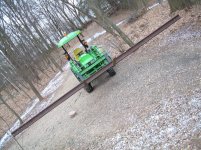
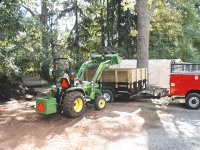
Trying to load a picture. (without my 16 year old daughter or 12 year
old son helping)
 
Last edited:

Marketplace Items

Kivel trailer mover attachment (A61567)
Kivel trailer...
(INOP) 1986 JOHN DEERE 310C BACKHOE (A59823)
(INOP) 1986 JOHN...
John Deere Hopper Assembley Kit (A60463)
John Deere Hopper...
2019 John Deere R-4038 (A61306)
2019 John Deere...
MMS MS36CS (A60463)
MMS MS36CS (A60463)
2017 FORD F-150 (A60736)
2017 FORD F-150...
 
Top