Technology Challenged

/ Technology Challenged #21  
Driver Whiz is a scam....or not quite honest at the very least.

Bird,

I'm certain your phone does not support a USB data connection. The other links posted for drivers are for a different model of phone. I believe you only options for getting the pictures off your phone are BlueTooth or sending them to your e-mail. Sending them to your e-mail will cause you to incur additional charges from AT&T.

The camera in that phone is very low quality. You can find a dedicated camera thats much better for less than $100, and will be easier to get your pictures out of!

Kodak EasyShare C913 9.2 MP Silver Point & Shoot Digital Camera | Overstock.com

Polaroid 5.0 - Megapixel Digital Camera, Red, Electronics, Polaroid, Polaroid at Sportsman's Guide
 
/ Technology Challenged #22  
And I may eventually learn to e-mail pictures to myself. That may be the best way. I don't know whether the quality of the pictures would be any better one way than the other.

Hi Bird,

Pic quality will be the same either way.

It looks like you need to get you computer to 'recognize' the phone. This can be done sometimes through "add new hardware" in the settings. When connected look for something that says "find new device" or "find new hardware". From there, it may tell you that you need a 'driver', that driver may or may not be free. I know before i got my iPhone I had a Motorola and I needed something called Motorola Phone tools to do what you're trying to.

If you have a friend with a Mac they may be able to pull the pics off for you.

-Jer.

EDIT - sounds like Micropilot knows more that I do...... take his word..... It might be worth trying the Mac though, just incase.
 
/ Technology Challenged #23  
I did not scan every reply, so if this has been brought up forgive me. Some phones need to be put into a usb mode to connect to the computer. It is worth a try.
Dave
 
/ Technology Challenged
  • Thread Starter
#24  
Driver Whiz is a scam....or not quite honest at the very least.

Bird,

I'm certain your phone does not support a USB data connection. The other links posted for drivers are for a different model of phone. I believe you only options for getting the pictures off your phone are BlueTooth or sending them to your e-mail. Sending them to your e-mail will cause you to incur additional charges from AT&T.

The camera in that phone is very low quality. You can find a dedicated camera thats much better for less than $100, and will be easier to get your pictures out of!

The young lady at Best Buy was sure the DataPilot cables with the included software would work. Personally, I'm afraid you're right. But if I can send photos via e-mail from the camera, I doubt the additional charges from AT&T would be a concern, as long as it's not regular monthly charges when I haven't used it. It just seems odd that all the sales personnel, an AT&T agent, and several websites that sell USB cables say it will work with the additional software.

I have an old digital camera that serves our purposes. I just don't intend to carry one around all the time, where I almost always will have the cell phone in my pocket when away from the house. The cell phone camera will be used very seldom; just if I should be involved in a fender bender (Heaven forbid) or see something unexpected that I'd like a record of, or something of that sort. I've shot a couple of experimental photos with it and they're acceptable for my use.

I think Monday, I'll go by Best Buy and if they'll give me a money back guarantee that the DataPilot cables will work, I'll buy them. But I may go by the AT&T office first and see if they can't show me how to send the photos via e-mail, and if it's only a per use charge, like the two bits per minute I pay for talking on the phone, that'll be fine.

But thanks to everyone for their help.
 
/ Technology Challenged #25  
Bird. An earlier poster said your phone has bluetooth. So you should find out if your computer has bluetooth before you do anything else. If it has, then your problems are solved for free. And its easier than messing around with cables.

How old is your computer. Just do a search for a file 'Bluetooth' on your computer.
 
/ Technology Challenged
  • Thread Starter
#26  
Bird. An earlier poster said your phone has bluetooth. So you should find out if your computer has bluetooth before you do anything else. If it has, then your problems are solved for free. And its easier than messing around with cables.

How old is your computer. Just do a search for a file 'Bluetooth' on your computer.

My computer (Hewlett-Packard desktop) will be 3 years old next month. The control panel has a "Bluetooth Devices" icon, but shows zero or empty. I can find where it talks of a Bluetooth adapter, but the fact is that I don't know what we're talking about.:laughing:
 
/ Technology Challenged #28  
My computer (Hewlett-Packard desktop) will be 3 years old next month. The control panel has a "Bluetooth Devices" icon, but shows zero or empty. I can find where it talks of a Bluetooth adapter, but the fact is that I don't know what we're talking about.:laughing:

I'm not sure if that means its Bluetooth capable or not but its very likely it IS. (Bluetooth has been around for quite a while. I'm a Mac man myself but hopefully someone with a PC can chime in. What operating system do you have? (Windows? Vista?)

First step I think is to open the Bluetooth Devices icon then click the 'share' tab and tick the box that says ' Allow devices to share etc'. (Thats if you have a share tab).


(P.S. Put simply Bluetooth is just something that will let your phone and PC connect wirelessly.)
 
/ Technology Challenged
  • Thread Starter
#29  
Thanks, MicroPilot, that explains a lot although I don't know whether it's something I can or will be using.

First step I think is to open the Bluetooth Devices icon then click the 'share' tab and tick the box that says ' Allow devices to share etc'. (Thats if you have a share tab).

I have the Bluetooth Devices icon and folder in the Control Panel, but when you open that folder, it's empty, so you don't have any tabs at all. Perhaps if I buy the "adapter" or "dongle", that would work.
 
/ Technology Challenged #30  
From the posted manual for your phone, I am combining instructions from pages 67 and 68.
In Idle mode, press Menu ➔ My Stuff ➔ Pictures ➔Bluetooth Visibility: allows you to make the one or more pictures
visible to Bluetooth devices. This option only appears on
photographs taken with your camera.

I've gone in circles before also with trying to get pictures off a cell phone or use it as an MP3 player. The providors seem to regard the phones as pickpockets we voluntarily carry around with us.

The last time we upgraded we finally went from having texts blocked to unlimited texting. We got Samsung Intensity model phones which were "Free" and slide open to reveal a little keyboard for texting. The fancier phones Droid require an expensive data plan.

The nicest feature of the Intensity is the charging cable that comes with it that ends in a USB connector and a little wall plug USB charger. I can plug the USB end into the computer and it will allow me to transfer pictures and music directly into the phone memory. I also added a 1Gb microSD card. The kids can use that USB wall charger to charge MP3 players or whatever.

Amazon is a good source for accessories like chargers, memory cards, and stereo earbuds with the small plug for cell phones. (Off topic: HDMI cables too)

The BAD feature of the Intensity and many new phones is the CHA-CHING button that instantly connects to some d@#^ pay service and before you can back out of it a charge is incurred on your monthly bill. You can call to dispute and they will credit it back but the "feature" cannot be disabled. Waiting for the class action on that one.
 
/ Technology Challenged #31  
Thanks, MicroPilot, that explains a lot although I don't know whether it's something I can or will be using.
I have the Bluetooth Devices icon and folder in the Control Panel, but when you open that folder, it's empty, so you don't have any tabs at all. Perhaps if I buy the "adapter" or "dongle", that would work.

Yes, a USB/Bluetooth dongle might be the next best step.
 
/ Technology Challenged
  • Thread Starter
#32  
Yes, a USB/Bluetooth dongle might be the next best step.

I find on the Internet you can buy them from less than $15 to more than $40 so I have no idea why one is better than another. I noticed a couple of "reviews" on Best Buy of a $17 one. Both gave it a 5 and said they'd recommend it, but one said one of the things he liked was the ease of set up while the other said the only thing he didn't like was the difficulty of set up.:laughing:
 
/ Technology Challenged
  • Thread Starter
#33  
They've finally done what I've long expected them to do. The technology is so advanced that even the folks who build, sell, and service the stuff don't know anything about it.:laughing: In spite of all the sales people telling me I just needed a data cable, early this morning, Samsung answered my e-mail inquiry of last week that there is no software or way to transfer photos "directly" from this model (as MicroPilot said). Their recommendation was to send photos via e-mail; didn't even mention Bluetooth in their e-mail.

However, you TBNers convinced me that Bluetooth would be the way to go. So this morning, I went to Best Buy and bought a $14.99 plus tax Bluetooth Adapter (or dongle); supposedly regular $40 on sale at this time. None of the set-up documentation mentioned anything about a passcode or passkey, although the cell phone manual does, at one point say to "Enter the passkey (if applicable)". Sure enough, we came to a point where the screen on the computer said to "Enter the below number" and in very big print posted a big number; 8 digits maybe. I picked up my pencil to write it down and it disappeared. Nothing I could do brought that number, or any other number, back.

Otherwise, it appeared that all the installation and set-up went just fine, but anytime I tried to send a photo from the phone, both the phone and the computer asked for a passkey (although the computer offered the option of creating one, or of proceeding without one). The cell phone offered no such option, and they both still asked for a passkey. The two contraptions recognized each other but would not pair up or connect. Eventually, I called their tech support and got a nice fellow who had me try everything he could think of. Nothing worked in spite of a lengthy conversation and many attempts. So I finally told him I was going to uninstall the program and try installing it from scratch. He said if that didn't work, they had a good return policy.:laughing:

Sure enough it didn't work. So I uninstalled it and returned it to Best Buy for a refund. Then I went to Walmart and bought a $20 Bluetooth Adapter of a different brand. First time I've ever seen a mini-CD like was in the package. But when I started the installation, it appeared to be the same software as the Best Buy adapter. And it got so far along with the installation, then told me to insert the CD, which was already in the drive. Opening and closing the drive didn't help. So it said the installation failed, but then it also said something about it might work. And it produced a dialogue box that asked me to click to generate a passkey. I had pencil at the ready, and also as soon as an 8 digit number appeared, I hit the "PrtScr" key. But this time the number remained on the screen until I finished.

So I gave it a try and by entering that 8 digit number in both the cell phone and the computer, it transfers the photos.:rolleyes: So it works now, in spite of saying it didn't complete the installation.:laughing:
 
/ Technology Challenged #34  
Bird, you are officially no longer technology challenged. You are now technology INITIATED, TORTURED, etc.:laughing::thumbsup:
 
/ Technology Challenged #35  
They've finally done what I've long expected them to do. The technology is so advanced that even the folks who build, sell, and service the stuff don't know anything about it.:laughing:

Bird, you now know MORE than the guy in the store.
 
/ Technology Challenged
  • Thread Starter
#36  
Bird, you are officially no longer technology challenged. You are now technology INITIATED, TORTURED, etc.:laughing::thumbsup:

You've sure got that right. I'm convinced these computers would have driven me nuts, if I hadn't already been there.:laughing:
 
/ Technology Challenged #39  
I use this for my cel phone downloads to the computer-http://www.bitpim.org/
 
/ Technology Challenged
  • Thread Starter
#40  
I use this for my cel phone downloads to the computer-http://www.bitpim.org/

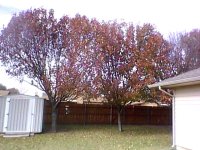
Jim, I don't know much about these things, but that may be a good link and some good information for some of our members. However, (1) my phone is not among those they list as being supported, and (2) I can now transfer photos via Bluetooth, which is all I wanted to do. And while cell phone cameras are not the greatest, the camera is probably better than the photographer.:laughing: That little storage building is not actually leaning to one side.:laughing:
 

Attachments

  • 101207_001.jpg
    101207_001.jpg
    119.4 KB · Views: 83

Marketplace Items

2015 WESTERN STAR 4900 GLIDER TANDEM AXLE DAY CAB (A59575)
2015 WESTERN STAR...
1981 LINK BELT HSP 8028 (A58214)
1981 LINK BELT HSP...
2005 Mitsubishi Fuso FE84D Auto Crane 3203 PRX 1.5 Ton Crane Utility Truck (A59230)
2005 Mitsubishi...
2017 Ford F-550 Mason Dump Truck w/ Liftgate (A59230)
2017 Ford F-550...
2019 Ford F-150 4x4 Ext. Cab Pickup Truck (A59230)
2019 Ford F-150...
2006 Formula 292 Boat with T/A Trailer (A59231)
2006 Formula 292...
 
Top