Starlink

   / Starlink #2,241  
For Verizon to throttle you down depends on your connection type. I have the LTE Home Internet gateway and have never been throttled down. I consistently get 30-50 Mbps and I use a lot of data working from home on VPN. Same with my neighbor, who also works from home, and he does VPN and is on video conferencing all day.

Here is what the website shows.

View attachment 738953

They will throttle down a mobile hotspot.

View attachment 738954
Thanks for posting.

I guess it must be a coincidence that my speeds dropped to less than 10/6 around the time I reached 150GB. It's been that way for 48 hours now.
 
   / Starlink #2,242  
Up until now, I've been happy with my Verizon 4G LTE home internet plan with it's 50 down & 8 up speeds. So far, my Starlink equipment has been running for two days and is only yielding 51 down & 10 up. I was thinking of returning it for the full 30 day refund they offered in their recent email and keeping the 4G LTE.

Today however, I noticed my 4G LTE speeds dropped to 8 down and 5 up. the speeds do vary but never this low and they have remained constant at this level for the last 24 hours. I checked my router statistics and I reached 150 GB of downloaded data yesterday for the month and I still have a week to go in the billing cycle. It appears Verizon is throttling their speeds. They claim unlimited data in their ads but make no mention of throttling.

Has anyone else with Verizon 4G LTE noticed this?

More importantly, has anyone with Starlink noticed any throttling?

You will have to read your Verizon plan. I am not sure what our plan says, the wifey handles all of the cell phone contracts, but I know we are limited to 150GB per month. We never exceeded 150BG with Verizon, but we did a few times with UbiFi, so we watched our usage to not exceed that amount. My assumption was if we hit 150GB, they would lower access speeds and/or we would have to go buy some more data.

Our Verizon/UbiFi Internet speeds are all over the place and I did a bunch of speed tests before we bought the MoFi and after connecting. My suspicion is that the variance in speed was due to other people using the tower at the same time.

Starlink has not throttled at all. We did have a slow down this week but I think it was due to the bad weather we were having, or at least that is my best guess. It is the first time we had a problem loading a page, and it lasted all of a couple of seconds. :D We have had far more, far lengthier outages with DSL and cell internet.

Later,
Dan
 
   / Starlink #2,246  
It is cat and mouse in Ukraine at the moment. The Ukrainians have significant expertise in cybersecurity, and active defense against Russian techniques, having had to learn from their experiences during the Russian Crimea annexation. So far, the Ukrainians seem to be effectively shutting down most of the Russian encrypted communication systems forcing the Russians into easily intercepted open radio transmissions and have been using spoofed cell towers to intercept Russian mobile calls. Seven Russian generals KIA in less than a month is not an accident.

The Ukrainians have significant expertise in software and electronics, despite being a small country. It is one of the national areas of excellence.

Based on the tear downs of Starlink gear, more than a little attention to system security was engineered into the devices early in the design process. (But that's just personal belief.)

All the best,

Peter
 
   / Starlink #2,248  
   / Starlink #2,249  
   / Starlink #2,252  
Starlink just published an official availability map. I don't have any background beyond the map itself, but looking at the map around my area and putting in a few random addresses it seems like they may be opening availability significantly. Just speculating on that though.

 
   / Starlink #2,253  
My Gen 2 router is in the basement until I can get a longer cable and the ethernet adapter. I get fine speeds (50-200) in the basement adjacent to the router but on the main floor upstairs my speeds are rarely more than 20 down. There is a lot of metal ducting and floor that is compromising the wireless signal from the router to devices on the main floor. I anticipated this.

My current mesh router is upstairs in a central location closet along my my DSL router. When I ordered SL I ran Cat6 cable from the upstairs closet to the basement location of the SL router (~40-50 feet). At the time my thought was that if I could not get the SL router upstairs then I could connect it to the Mesh router via the Cat6 Cable and that would cover my main floor and most of the basement.

Explaining this to a recent visiting friend they expressed some skepticism about my assumption of minimal wireless signal loss by connecting the SL router downstairs to the upstairs mesh router using the Cat6 cable. I can't imagine this would happen. Am I wrong?
 
   / Starlink #2,254  
My Gen 2 router is in the basement until I can get a longer cable and the ethernet adapter. I get fine speeds (50-200) in the basement adjacent to the router but on the main floor upstairs my speeds are rarely more than 20 down. There is a lot of metal ducting and floor that is compromising the wireless signal from the router to devices on the main floor. I anticipated this.

My current mesh router is upstairs in a central location closet along my my DSL router. When I ordered SL I ran Cat6 cable from the upstairs closet to the basement location of the SL router (~40-50 feet). At the time my thought was that if I could not get the SL router upstairs then I could connect it to the Mesh router via the Cat6 Cable and that would cover my main floor and most of the basement.

Explaining this to a recent visiting friend they expressed some skepticism about my assumption of minimal wireless signal loss by connecting the SL router downstairs to the upstairs mesh router using the Cat6 cable. I can't imagine this would happen. Am I wrong?
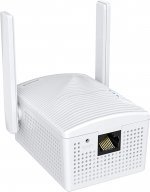
If I understand what your trying to do something like this should work without waiting on the ethernet adapter. It's what I did after giving up as the shipping date kept getting pushed back. Just capture the wireless signal from your SL router with the wireless receiver then output the cat6 from it to your mesh router.

https://www.amazon.com/dp/B0118SPFCK?psc=1&smid=A2JTFL4V8HYESG&ref_=chk_typ_imgToDp

638587-2b15761356fc072d08509db8daa7a291.jpg
 
   / Starlink #2,255  
My Gen 2 router is in the basement until I can get a longer cable and the ethernet adapter. I get fine speeds (50-200) in the basement adjacent to the router but on the main floor upstairs my speeds are rarely more than 20 down. There is a lot of metal ducting and floor that is compromising the wireless signal from the router to devices on the main floor. I anticipated this.

My current mesh router is upstairs in a central location closet along my my DSL router. When I ordered SL I ran Cat6 cable from the upstairs closet to the basement location of the SL router (~40-50 feet). At the time my thought was that if I could not get the SL router upstairs then I could connect it to the Mesh router via the Cat6 Cable and that would cover my main floor and most of the basement.

Explaining this to a recent visiting friend they expressed some skepticism about my assumption of minimal wireless signal loss by connecting the SL router downstairs to the upstairs mesh router using the Cat6 cable. I can't imagine this would happen. Am I wrong?


they are 2 separate signals, there is no loss over the wire. you are doing it the correct way. you will probably want to disable the SL wireless when you get your adapter.
 
   / Starlink #2,256  
Thanks. The ethernet adapter is supposed to ship this week otherwise the wireless to ethernet adapter would be on my list.

Good reminder about the SL app option to disable the SL router. Another person I know with Sl forgot to do this and was perplexed why they were having issues when they connected Sl to their mesh.
 
   / Starlink #2,257  
I don't have a mesh system, I do have my netgear router plugged into the starlink adapter.
I have not disabled the starlink wfi it seems to co-exist nicely with the netgear wfi.
This way the starlink app on my phone can go to the Starlink wfi, the firestick TV and
my wifes phone and kindle are on the Starlink usually. My Arlo cameras and printers are on my Netgear wfi
so I keep my computer on it also.
 
   / Starlink #2,258  
   / Starlink #2,259  
My Gen 2 router is in the basement until I can get a longer cable and the ethernet adapter. I get fine speeds (50-200) in the basement adjacent to the router but on the main floor upstairs my speeds are rarely more than 20 down. There is a lot of metal ducting and floor that is compromising the wireless signal from the router to devices on the main floor. I anticipated this.

My current mesh router is upstairs in a central location closet along my my DSL router. When I ordered SL I ran Cat6 cable from the upstairs closet to the basement location of the SL router (~40-50 feet). At the time my thought was that if I could not get the SL router upstairs then I could connect it to the Mesh router via the Cat6 Cable and that would cover my main floor and most of the basement.

Explaining this to a recent visiting friend they expressed some skepticism about my assumption of minimal wireless signal loss by connecting the SL router downstairs to the upstairs mesh router using the Cat6 cable. I can't imagine this would happen. Am I wrong?

This is interesting. I have my Gen2 router on the first floor and was able to add all 28 of my connected devices without a problem. They are located on all three floors of the house, including the basement. The farthest is 80' away in a detached garage and I'm getting 100+ mbps down.

I guess every installation is different though with many possible obstacles to WiFi signals.

I have the longer cable and ethernet adapter on order but based on my experience so far, I may not need them.
 
   / Starlink #2,260  
I don't have a mesh system, I do have my netgear router plugged into the starlink adapter.
I have not disabled the starlink wfi it seems to co-exist nicely with the netgear wfi.
This way the starlink app on my phone can go to the Starlink wfi, the firestick TV and
my wifes phone and kindle are on the Starlink usually. My Arlo cameras and printers are on my Netgear wfi
so I keep my computer on it also.
You are correct. Having both Wifi's turned on will not interfere with anything. And as you pointed out as long as the devices you want to talk to are on the same network you will be fine. WiFi 6 can cause some headaches with printers and computers talking to each other wireless other than that you are good to go. Sometimes I will have to allow both bands 2.4 and 5g to be seen on customers gateways because some older devices cant negotiate WiFi 6 very well. Some Baby Monitors and a few other devices cant negotiate the WiFi 6 has been my experience. Some older computers have issues with it also. I have a lot of customers install mesh systems behind our gateways and leave both WiFi's turned on without issue. We use VLAN Tagging for security.purposes and most home owners don't know or don't want to mess with configuring it to bypass our gateways so just plug into one of the LAN ports with their mesh and it works fine. They are Gig ports so all is good.
 

Tractor & Equipment Auctions

2018 Chevrolet Impala Premier Sedan (A59231)
2018 Chevrolet...
SKID STEER ATTACHMENT PACKER (A58214)
SKID STEER...
2020 JLG SKYTRACK 12054 TELESCOPIC FORKLIFT (A60429)
2020 JLG SKYTRACK...
1995 NEWTON CROUCH PULL SPREADER (A57192)
1995 NEWTON CROUCH...
2019 FREIGHTLINER CASCADIA TANDEM AXLE SLEEPER (A59905)
2019 FREIGHTLINER...
207283 (A52708)
207283 (A52708)
 
Top