Parts Drawings

/ Parts Drawings #1  

Leejohn

Elite Member
Joined
Sep 16, 2007
Messages
4,071
Location
Doniphan, Mo.
Tractor
Kubota L4240, B7800 & BX2660
I have tried to copy the parts drawings and the pictures will not show up. The numbers show thats all, can anyone tell me how to get them to show up?
 
/ Parts Drawings #2  
Can you give a little more detail... are you coping from a website or from a manual? If it's a website is there a link?
 
/ Parts Drawings
  • Thread Starter
#3  
From a website, Michigan Iron and Haltom. I tried saving picture then making a copy and that didn't work.
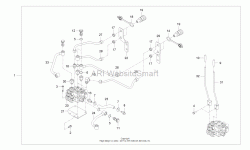
 
/ Parts Drawings #4  
I have tried to copy the parts drawings and the pictures will not show up. The numbers show thats all, can anyone tell me how to get them to show up?

I am using an IPad and when I touch the image I get the option to save image and it works. If you are using a laptop or desk top if you right click on the image rather than copy see if you have the option of "save image".
 
/ Parts Drawings #5  
From a website, Michigan Iron and Haltom. I tried saving picture then making a copy and that didn't work.
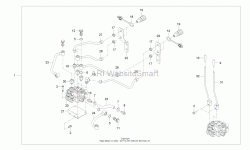
Mac or Windows? Tablet/smart phone or laptop/desktop? If this is from a laptop or desktop in windows (sorry but this is most common), right click on the drawing will open menu, "view image", then do right mouse click again and "Save image". Then open and try printing from another graphics program....

View attachment 495828
 
/ Parts Drawings
  • Thread Starter
#6  
Windows, Laptop. I did right click and clicked save picture as. Put it in my pictures and can see it good. When I try to print it does the same thing, no pictures just the #s.
 
/ Parts Drawings #7  
Can you post here on TBN the picture that you saved? My photo was saved as "Image.Gif" (default from website)

(if you need help posting, let us know)

Seems very odd that you can see it but not print it... can you download my photo above and print it? (I just did, and it's fine).
 
/ Parts Drawings
  • Thread Starter
#8  
No I deleted and it's not in my trash ben. I well try again and make sure it's a Gif, I kind of think it was not. I got to go now I'll have to wait until tonight. Thanks for the help.
 
/ Parts Drawings
  • Thread Starter
#9  
I tried saving with bitmap and gif eather would not work, the same. It might be my printer, I'm out of color ink. I give up.
 
/ Parts Drawings #10  
I have had those type problems copying from web pages. Sometimes take a lot playing around with different approaches. I have even printed to PDF then copied what I want and save as a JPEG file. I find JPEG easier to work with then GIF or Bitmap. There are aps that will convert various file extensions to others. I have Acrobat Pro (PDF) so it helps me do a lot of things. Sometimes a "screen print" also will work then scan it into JPEG or Word. Post teh web page link and we will all try various potential solutions.

Ron
 
/ Parts Drawings
  • Thread Starter
#11  
See if this well come up right? This what I was trying to print. Teg did one see post #5.

OEM Parts
 
/ Parts Drawings #12  
Is this what you want? Expanded the image on the web page, right clicked, selected copy image, pasted into a word doc, made the page landscape with narrow margin, pasted the image into the doc, expanded to the limit using Paint, Saved that gif image to the desktop, then posted here. drawing.gif
 
/ Parts Drawings #13  
Is this what you want? Expanded the image on the web page, right clicked, selected copy image, pasted into a word doc, made the page landscape with narrow margin, pasted the image into the doc, expanded to the limit using Paint, Saved that gif image to the desktop, then posted here. Image is dim drawing.gif Double click on the image and it will pop up. Right click on it and you can copy or save.

 
/ Parts Drawings #14  
Pretty sure it's because you are out of ink of one color. Not sure how you are trying to print but within the "properties" of printing, you should be able to print it as Black and White (vs. printing in color).
 
/ Parts Drawings
  • Thread Starter
#15  
Tractor Seabee got it saved and still could not print. Going to wait until I get the color ink. I do have the printer set to print in black.
 
/ Parts Drawings
  • Thread Starter
#17  
Yes I can and I saved then tried to print, also tried to print from yours. No go.
 
/ Parts Drawings #19  
LeeJohn, I'd recommend you do a "print screen" as suggested by someone earlier, and then save that (gives you an option to save as JPEG). Some printers have difficulty with specific graphic formats, especially animated or video (and GIFs can be animated, and this graphic allowed dynamic shrinkage/enlarging).

If you want a really good print screen tool that allows you to select parts of a screen, edit it, etc., Google for "Gadwin print screen" and install that tool. Really makes screen captures much more flexible.
Best of luck.
-Mitch
 
/ Parts Drawings
  • Thread Starter
#20  
I had gave up, but well try what you said.
 

Marketplace Items

2013 International WorkStar 7400 4x4 Altec AM55E 56ft. Bucket Truck (A61568)
2013 International...
2014 Dodge Charger Sedan (A61569)
2014 Dodge Charger...
2022 FORD TRANSIT 250 CARGO VAN (A59905)
2022 FORD TRANSIT...
International S1900 (A63118)
International...
DEUTZ MARATHON 60KW GENERATOR (A58214)
DEUTZ MARATHON...
2018 Ram 1500 4x4 Crew Cab Pickup Truck (A61568)
2018 Ram 1500 4x4...
 
Top