You are using an out of date browser. It may not display this or other websites correctly.
You should upgrade or use an alternative browser.
You should upgrade or use an alternative browser.
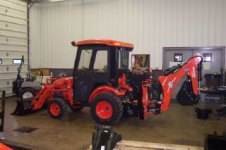
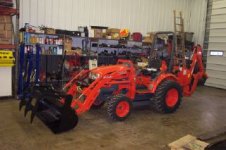
Latest tractor build up
- Thread starter wallace
- Start date
- Views: 2660
More options
Who Replied?
/ Latest tractor build up
#1
OP

wallace
Veteran Member, Approved Advertiser
Man I am ready to SMASH this computer /forums/images/graemlins/mad.gif
Why won't it let me put bigger pictures on /forums/images/graemlins/mad.gif /forums/images/graemlins/mad.gif /forums/images/graemlins/mad.gif
Why won't it let me put bigger pictures on /forums/images/graemlins/mad.gif /forums/images/graemlins/mad.gif /forums/images/graemlins/mad.gif
Rick, go back to your picture software and increase the quality to around 68 dots per inch (DPI). You must be chaning the size of the picture to get below the required 100,000 bytes. It is better to change the DPI. Usually you will find that is set to around 72-96. Lower that figure to the high 60s and you should maintain a large picture, just slightly less quality.
Set the resolution (size) to 640x480 and DPI to about 66-68 or so, and that should be better.
John
Set the resolution (size) to 640x480 and DPI to about 66-68 or so, and that should be better.
John

</font><font color="blue" class="small">( Man I am ready to SMASH this computer /forums/images/graemlins/mad.gif
Why won't it let me put bigger pictures on /forums/images/graemlins/mad.gif /forums/images/graemlins/mad.gif /forums/images/graemlins/mad.gif )</font>
Here is another way to post larger pics, I used to post my avatar, could not seem to get under the limit and still have a viewable picture.
Try Photobucket at 'photobucket.com'
I use it all the time.
1. REGISTER
2. LOGIN
3. Have your image stored on your hard drive.
4. Tap the 'BROWSE' button once
5. Go to the directory on your hard drive where the image is stored.
6. Double click the image file name.
7. The name should show up on Photobucket in the 'PICTURE' window.
8. Press the 'SUBMIT' button once.
9. The image should then be below the 'ADD PICTURES' dialogue box.
10. For posting to a forum go to the first character in the box next to the blue 'Img' lettering.
11. Place your cursor in front of the '[IMG', then press and drag the mouse button to the end of the box so that you capture the full contents of the box and turn the background blue.
12. While it is now white lettering with a blue background press the right mouse button and select 'COPY'
13. Open up a new post on the Forum or respond to an existing one.
14. Place your cursor in the dialogue box
15. Press the right mouse button and select "paste"
16. The whole image title should be in the dialogue box with the brackets and
 at the end of the string.
17. If you submit now you will have just your image. Now is the time to add your text without disrupting the format of the pasted image.
18. If your image is way to large you can go back to Photobucket and use their "EDIT" button to resize your image or you can go back to your own photo editor for a resize and resubmit the image.
Why won't it let me put bigger pictures on /forums/images/graemlins/mad.gif /forums/images/graemlins/mad.gif /forums/images/graemlins/mad.gif )</font>
Here is another way to post larger pics, I used to post my avatar, could not seem to get under the limit and still have a viewable picture.
Try Photobucket at 'photobucket.com'
I use it all the time.
1. REGISTER
2. LOGIN
3. Have your image stored on your hard drive.
4. Tap the 'BROWSE' button once
5. Go to the directory on your hard drive where the image is stored.
6. Double click the image file name.
7. The name should show up on Photobucket in the 'PICTURE' window.
8. Press the 'SUBMIT' button once.
9. The image should then be below the 'ADD PICTURES' dialogue box.
10. For posting to a forum go to the first character in the box next to the blue 'Img' lettering.
11. Place your cursor in front of the '[IMG', then press and drag the mouse button to the end of the box so that you capture the full contents of the box and turn the background blue.
12. While it is now white lettering with a blue background press the right mouse button and select 'COPY'
13. Open up a new post on the Forum or respond to an existing one.
14. Place your cursor in the dialogue box
15. Press the right mouse button and select "paste"
16. The whole image title should be in the dialogue box with the brackets and
17. If you submit now you will have just your image. Now is the time to add your text without disrupting the format of the pasted image.
18. If your image is way to large you can go back to Photobucket and use their "EDIT" button to resize your image or you can go back to your own photo editor for a resize and resubmit the image.

IslandTractor
Super Star Member
- Joined
- Sep 15, 2005
- Messages
- 16,647
- Location
- Prudence Island, RI
- Tractor
- 2007 Kioti DK40se HST, Woods BH
Is that an Add A Grapple on the bucket or the ATI 4866 rig? What did you think of it?
JayC
Veteran Member
<font color="orange"> Man I am ready to SMASH this computer
Why won't it let me put bigger pictures on </font>
Here is something I typed up long ago that may be of some help.
<font color="red"> It is very easy to change the size of the images. Here is what I recommend: Go to this site and download IrfanView. It is a free image editing program. One you have it installed, you can use it to change your JPGs around. When you have the image you want opened with IrfanView, go to the Image menu and click Resize/Resample. In the Set New Size area type in the new size. Both the width and height will automatically be sized proportionately. I would recommend a size of 640 x 480 (or 800 x 600 if the file is small enough (more on that later)). Click ok. Now you are ready to save the image. I would recommend choosing a different name than the one for the original image. Click File - Save As. In the Save As Type drop down box choose JPG - JPEG Files. Type in your new file name in the File Name area. At the top, choose a location you can remember in the Save In drop down field. In the Save Options box to the right choose a Save Quality of about 50 or so. This is the JPG compression. The higher the number (best), will mean lower compression but bigger file sizes. The lower the number (lowest) will mean smaller file sizes (more compression) but the image won't look as good. I find 50 to be a decent compression setting. Next, you can make sure you are under the 100kb limit on the forums by finding your newly edited photo and right clicking on it. Choose Properties. In the Size field or Size On Disk field, it should have a reading of 100k or less. Also, if you want better image quality or larger photos, you can start a TBN Photo Gallery in the Photos section of the site. You are allowed images up to 500kb with a max alotted space of 5mb. Hope this helps. </font>
Why won't it let me put bigger pictures on </font>
Here is something I typed up long ago that may be of some help.
<font color="red"> It is very easy to change the size of the images. Here is what I recommend: Go to this site and download IrfanView. It is a free image editing program. One you have it installed, you can use it to change your JPGs around. When you have the image you want opened with IrfanView, go to the Image menu and click Resize/Resample. In the Set New Size area type in the new size. Both the width and height will automatically be sized proportionately. I would recommend a size of 640 x 480 (or 800 x 600 if the file is small enough (more on that later)). Click ok. Now you are ready to save the image. I would recommend choosing a different name than the one for the original image. Click File - Save As. In the Save As Type drop down box choose JPG - JPEG Files. Type in your new file name in the File Name area. At the top, choose a location you can remember in the Save In drop down field. In the Save Options box to the right choose a Save Quality of about 50 or so. This is the JPG compression. The higher the number (best), will mean lower compression but bigger file sizes. The lower the number (lowest) will mean smaller file sizes (more compression) but the image won't look as good. I find 50 to be a decent compression setting. Next, you can make sure you are under the 100kb limit on the forums by finding your newly edited photo and right clicking on it. Choose Properties. In the Size field or Size On Disk field, it should have a reading of 100k or less. Also, if you want better image quality or larger photos, you can start a TBN Photo Gallery in the Photos section of the site. You are allowed images up to 500kb with a max alotted space of 5mb. Hope this helps. </font>

Batche33
Silver Member
I think there's something going on with TBN,
I've been trying to post pictures all morning, to give you another suggestion as to how to do it.
I can't get anything to post.
I've done it before 1231 loader specs
I've been trying to post pictures all morning, to give you another suggestion as to how to do it.
I can't get anything to post.
I've done it before 1231 loader specs
Attachments

Batche33
Silver Member
So now it works /forums/images/graemlins/confused.gif
image size:854k
pixel dimensions: 678x430
resolution 72 pixels per inch
Becky
image size:854k
pixel dimensions: 678x430
resolution 72 pixels per inch
Becky

fastpat
Silver Member
About posting photos.
I use http://www.fotki.com/ to host all my photos. That way I can either post a url to view the photo or link to it via html and display it in the message. I can adjust the link displayed photo size to suit the demands of fora such as TBN, or I can resize the uploaded photo for special purposes, such as the small photo in my sig file. There is no limit to the photo size I can upload to Fotki because I have unlimited storage space, so if someone wants to see finer detail than in a linked photo, they can go to my Fotki page and look at the uploaded photo full size. The drawback to Fotki is that it's not free. The last time I paid I went for a three year subscription which was about $70.00, I have 1086 mb of photos on the site.
I use http://www.fotki.com/ to host all my photos. That way I can either post a url to view the photo or link to it via html and display it in the message. I can adjust the link displayed photo size to suit the demands of fora such as TBN, or I can resize the uploaded photo for special purposes, such as the small photo in my sig file. There is no limit to the photo size I can upload to Fotki because I have unlimited storage space, so if someone wants to see finer detail than in a linked photo, they can go to my Fotki page and look at the uploaded photo full size. The drawback to Fotki is that it's not free. The last time I paid I went for a three year subscription which was about $70.00, I have 1086 mb of photos on the site.
Batche33
Silver Member
I use Photoshop 7.0 & Paint Shop Pro 7.
I do alot of photo editing and website stuff (not lately though), so these work best for me.
Wouldn't this place would be pretty boring if we all agreed on what's best, /forums/images/graemlins/grin.gif
I do alot of photo editing and website stuff (not lately though), so these work best for me.
Wouldn't this place would be pretty boring if we all agreed on what's best, /forums/images/graemlins/grin.gif
IslandTractor
Super Star Member
- Joined
- Sep 15, 2005
- Messages
- 16,647
- Location
- Prudence Island, RI
- Tractor
- 2007 Kioti DK40se HST, Woods BH
<font color="blue"> Wouldn't this place would be pretty boring if we all agreed on what's best, </font>
Shame on you Batche33. Don't you know we all agree that Kioti's are best. /forums/images/graemlins/grin.gif
Shame on you Batche33. Don't you know we all agree that Kioti's are best. /forums/images/graemlins/grin.gif
Batche33
Silver Member
Of course, but don't say that too loud, there could be outsiders eavesdropping /forums/images/graemlins/ooo.gif shhh
HODAK
Gold Member
outsiders....eavesdropping??? You can be sure of that....
/forums/images/graemlins/grin.gif /forums/images/graemlins/grin.gif /forums/images/graemlins/grin.gif /forums/images/graemlins/grin.gif
/forums/images/graemlins/grin.gif /forums/images/graemlins/grin.gif /forums/images/graemlins/grin.gif /forums/images/graemlins/grin.gif

Highbeam
Super Member
I dink around on the kubota forum too. People are always posting things that apply to all tractors within their specific brand areas. For instance, the BH80x is available in several colors.
IslandTractor
Super Star Member
- Joined
- Sep 15, 2005
- Messages
- 16,647
- Location
- Prudence Island, RI
- Tractor
- 2007 Kioti DK40se HST, Woods BH
I too watch the Kubota forum. Lot's of interesting and useful stuff posted by our pure orange cousins. I like the Kubotas a lot, I just love BLACK buckets a bit more. /forums/images/graemlins/grin.gif

Bedlam
Veteran Member
- Joined
- Feb 28, 2005
- Messages
- 1,883
- Tractor
- Ford and Kiotie


